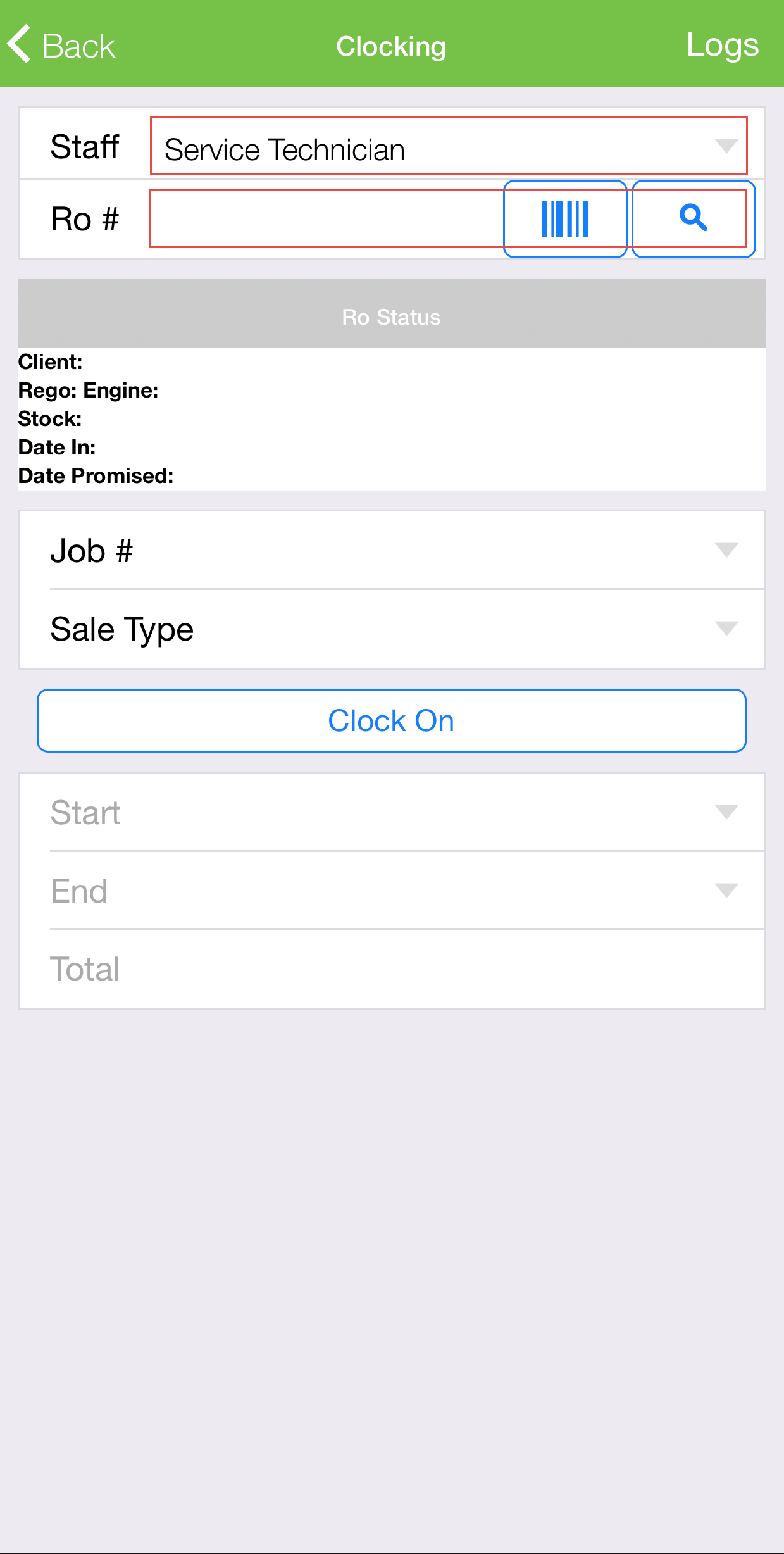
To accurately track the time spent on a repair order, service technicians can use the Eclipse Online app to clock on and off service jobs.
Method 1
-
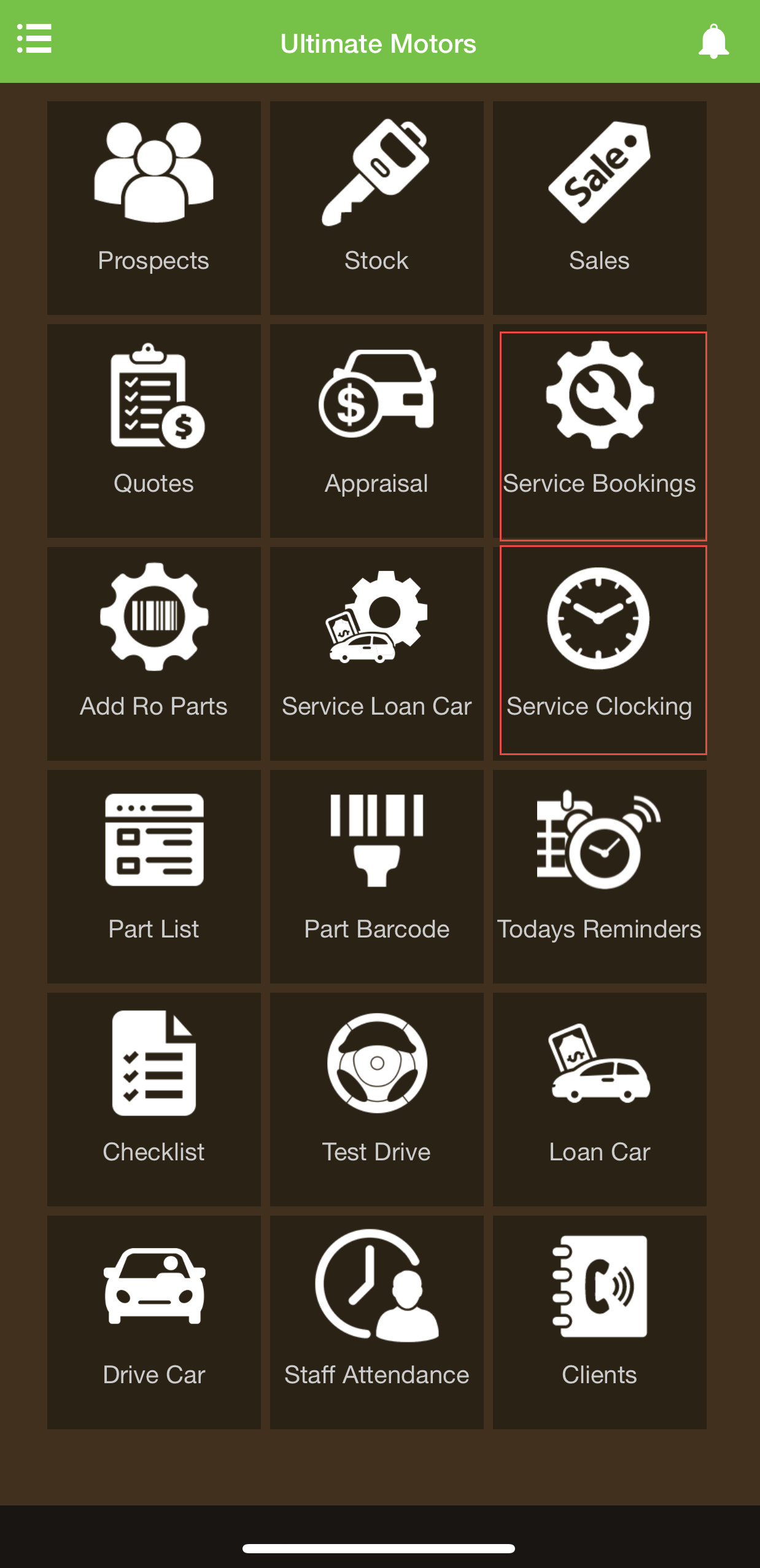
From the dashboard, go to Service Clocking.
-
Type in the Repair Order number in the RO # field or click the barcode icon to scan the barcode on the printed out repair order.
-
Select the job you would like to clock onto in the Job # field.
-
Click Clock On.
-
On the same screen, you can click Clock Off once you are done.
Method 2
-
Go to Service Bookings from the dashboard.
-
Click on the Repair Order you are working on from the list.
-
Navigate to the Jobs tab at the bottom of the screen.
-
Click the three dots on the right side of the job you would like to clock on to.
-
Click Clock On.
-
You can then clock off from the same area.