UBS Knowledge Base

Authorisation required to Access this Report error in My Reports

A security change has been implemented in Eclipse and previously accessible reports under the My Reports area are now requiring Authorisation. To fix, follow the steps detailed below.


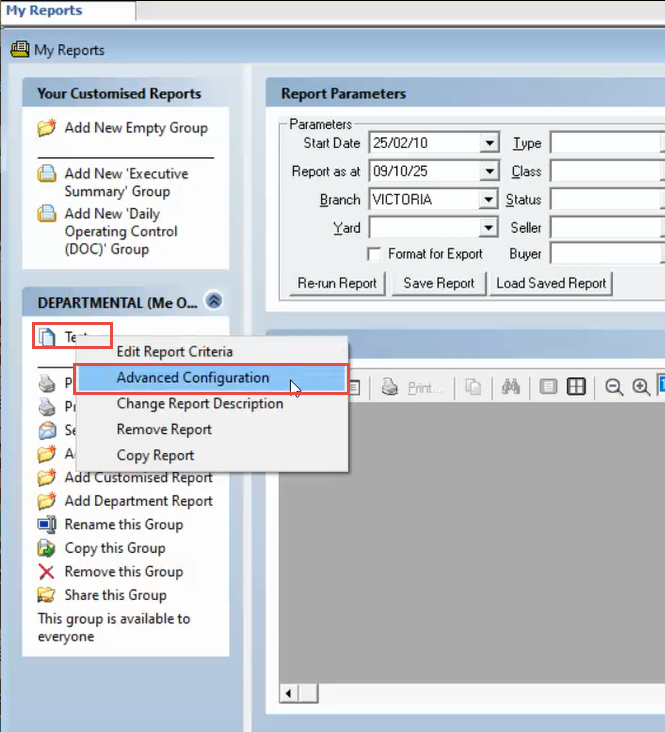
  1. Right Click on the report in question, then click Advanced Configuration.
    https://s3-ap-southeast-2.amazonaws.com/aus-cdn.freshdesk.com/data/helpdesk/attachments/production/51255207389/original/SxCEdyk4jCKk6Jnamw8PtLa86e_OOdy79w.png?1759972195

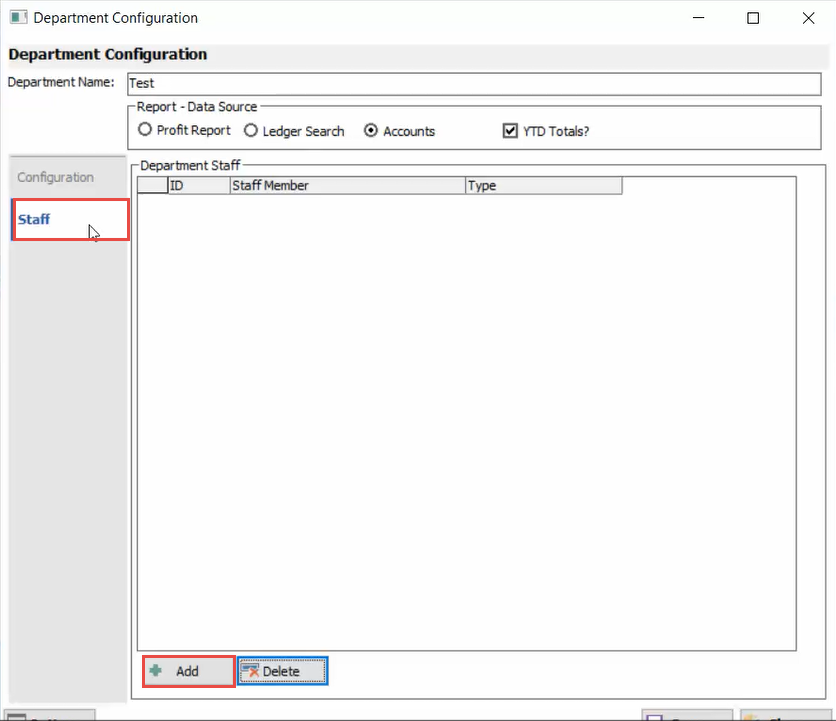
  2. Click on the Staff tab, then click Add.
    https://s3-ap-southeast-2.amazonaws.com/aus-cdn.freshdesk.com/data/helpdesk/attachments/production/51255207451/original/mLuDJNj6STEG1ohQ62-WW1QVrKWo7lNoIw.png?1759972205

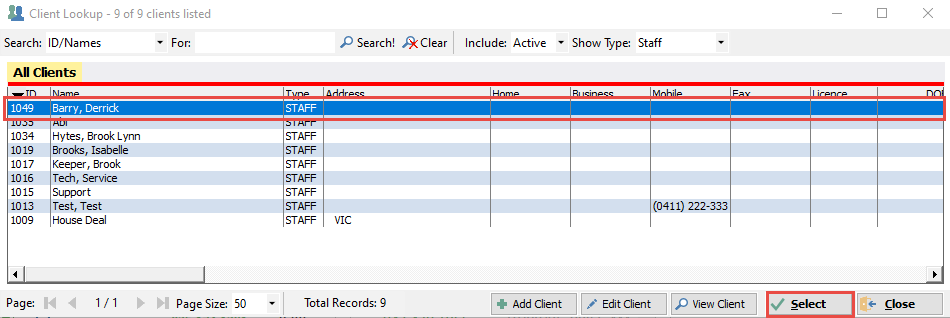
  3. Select the Staff Member you wish to provide access to, then click Select.
    https://s3-ap-southeast-2.amazonaws.com/aus-cdn.freshdesk.com/data/helpdesk/attachments/production/51255207524/original/9a1IPCB6nVJ46L7DhSvy9MxyQllRBNvAVQ.png?1759972219

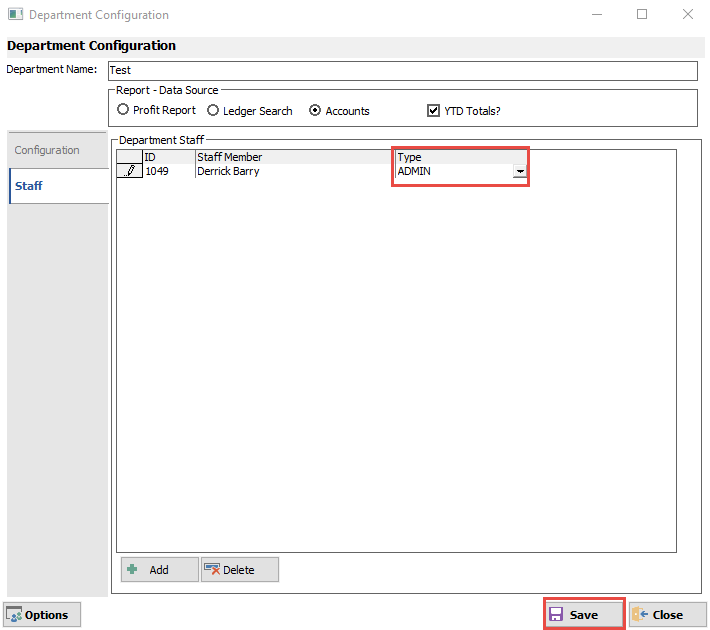
  4. Change the Type column from Staff to Admin.

  5. Click Save.

    https://s3-ap-southeast-2.amazonaws.com/aus-cdn.freshdesk.com/data/helpdesk/attachments/production/51255207631/original/gbJH3k6WsSIts0HR4YNuHeGL4RaTmcU0CQ.png?1759972228