
Eclipse Payroll customers who are using Click Super or SuperChoice to manage their superannuation payments can receive notification from the clearing house that superannuation monies previously received for an employee have been refunded due to some error.
It is now possible to mark the corresponding payment in eclipse payroll as refunded which allows it to be paid again once the underlying issue is corrected.
Refunds are indicated in the SuperStream Documents tab if a given document has any. First you need to identify who the refund relates to. Click the relevant documents in the Action column to open the Error Message Dialogue Box. Make a note of who the refund relates to.
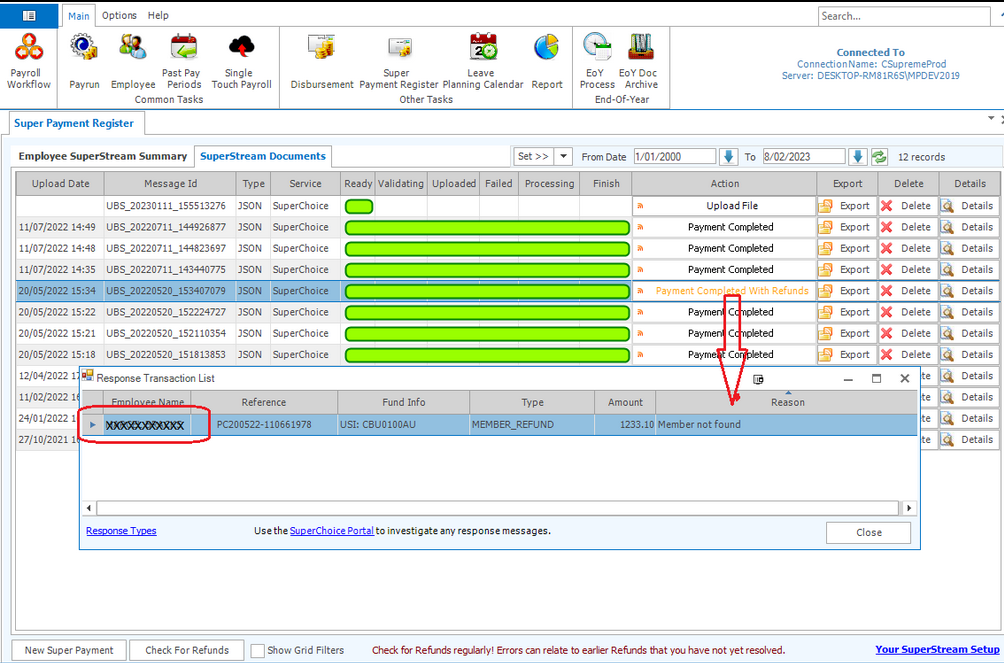
Click Details to open the selected document. Locate the person with the refund in the top grid. Confirm you have selected the right payment to refund, and click the Refund button.
Save your changes to commit the refund.
You cannot undo this action, so ensure you refund the correct payment

The refunded payment will now be able to be selected again in the new super payment screen.
The refund in payroll will not create a matching journal in the Stock & Accounting module, and will need to be added in manually
Stock and Accounting side
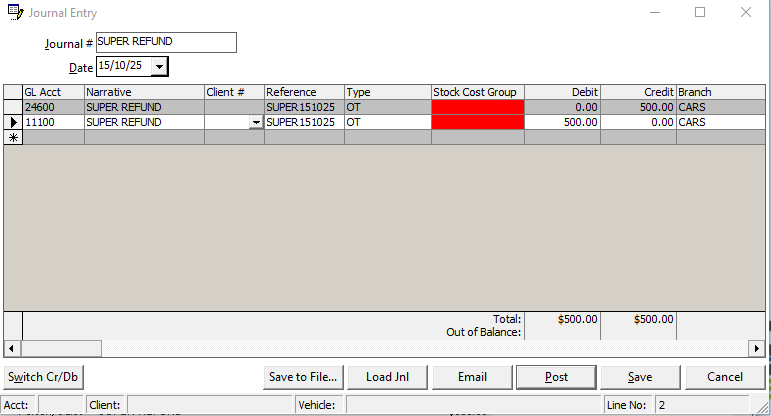
Create a journal Debit Bank & Credit Super clearing for the refund amount
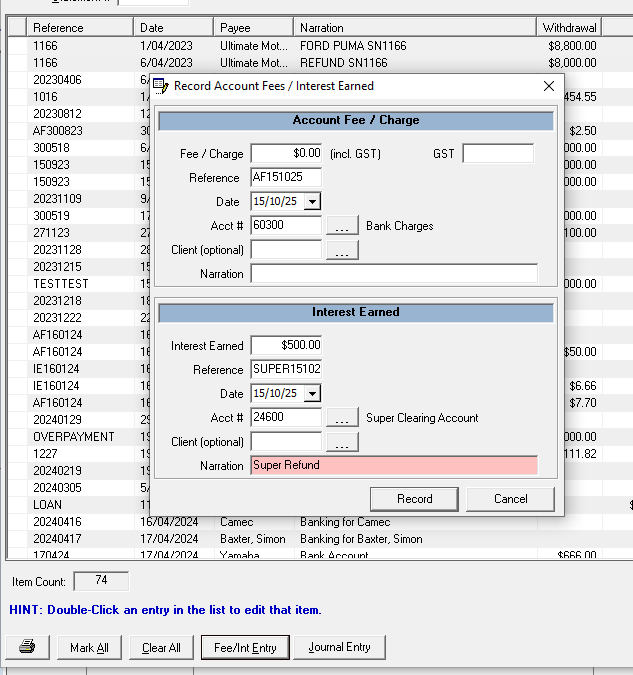
Or alternatively processed as a Fee/Int Entry button in the bank reconciliation screen and use the Interest Earned section
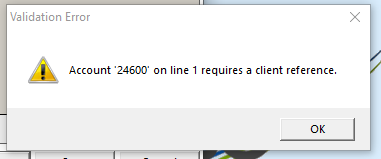
Depending on your payroll super setup and the account setup it may require a client number as well. If it requires a client number you will get an error like below, in which case you can select the related staff member using the three dots(...) and finding them in the client list.
Related Articles