
-
Click here to open the Ultimate STP Employer Registration.
-
Work through the 4 steps below and submit your request.
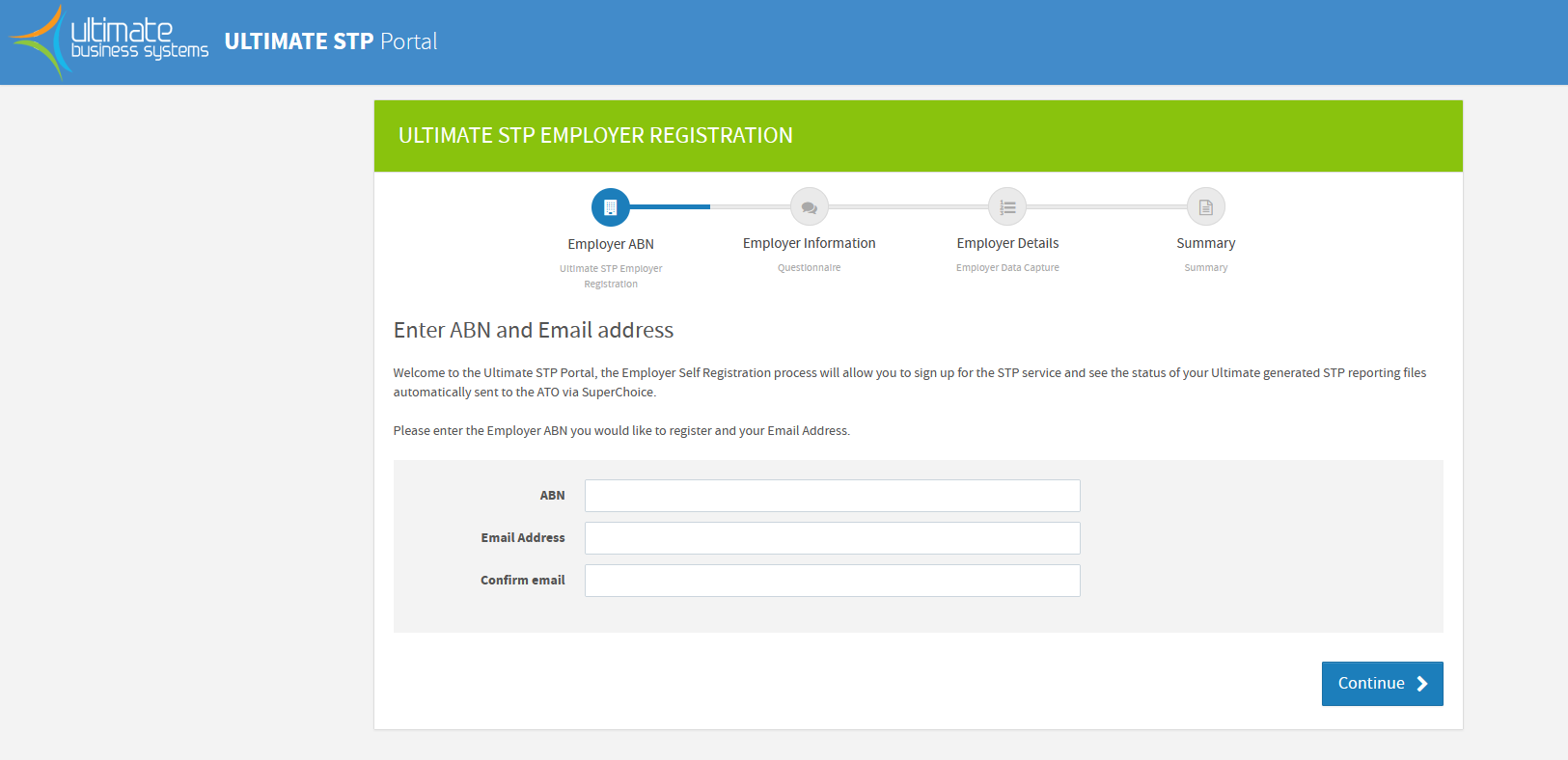
-
You will then receive an email that contains a generated password.
-
At this stage please login to the Ultimate STP Portal using the credentials supplied in the email. When you login to the portal for the first time it will ask you to reset this password.
-
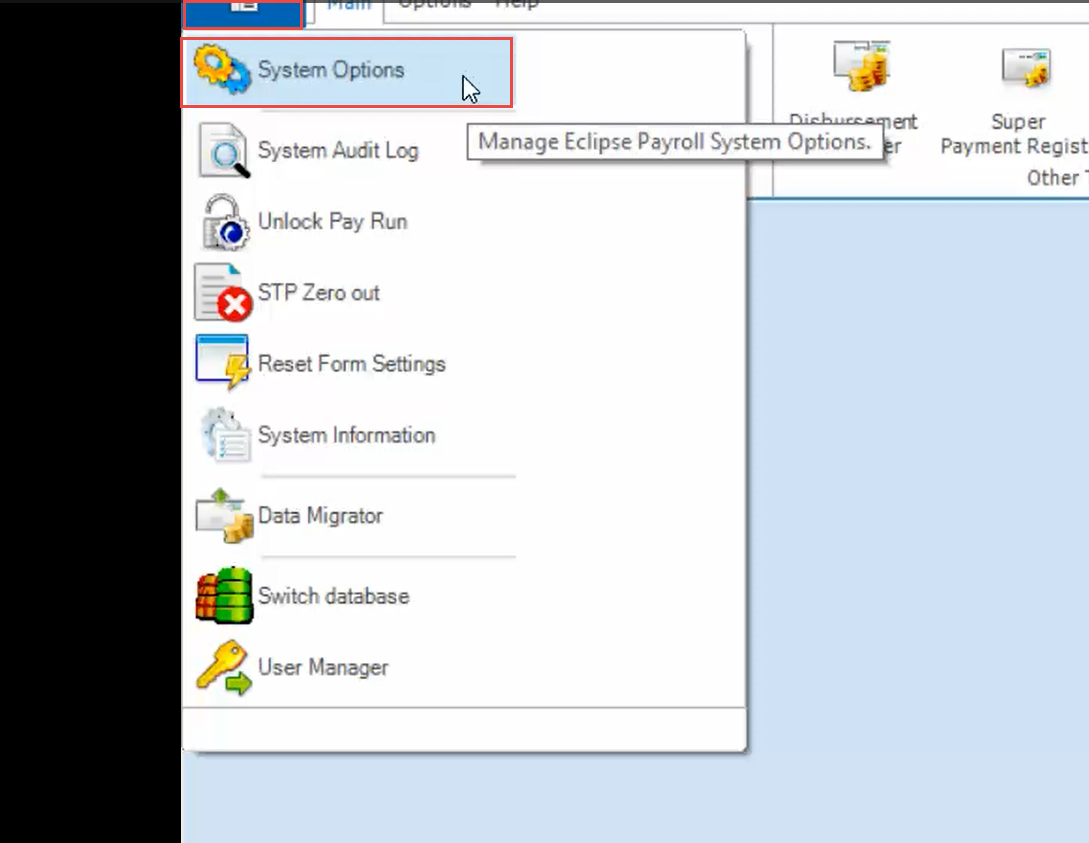
In the Payroll module, click the Top-Left button, then click System Options.
-
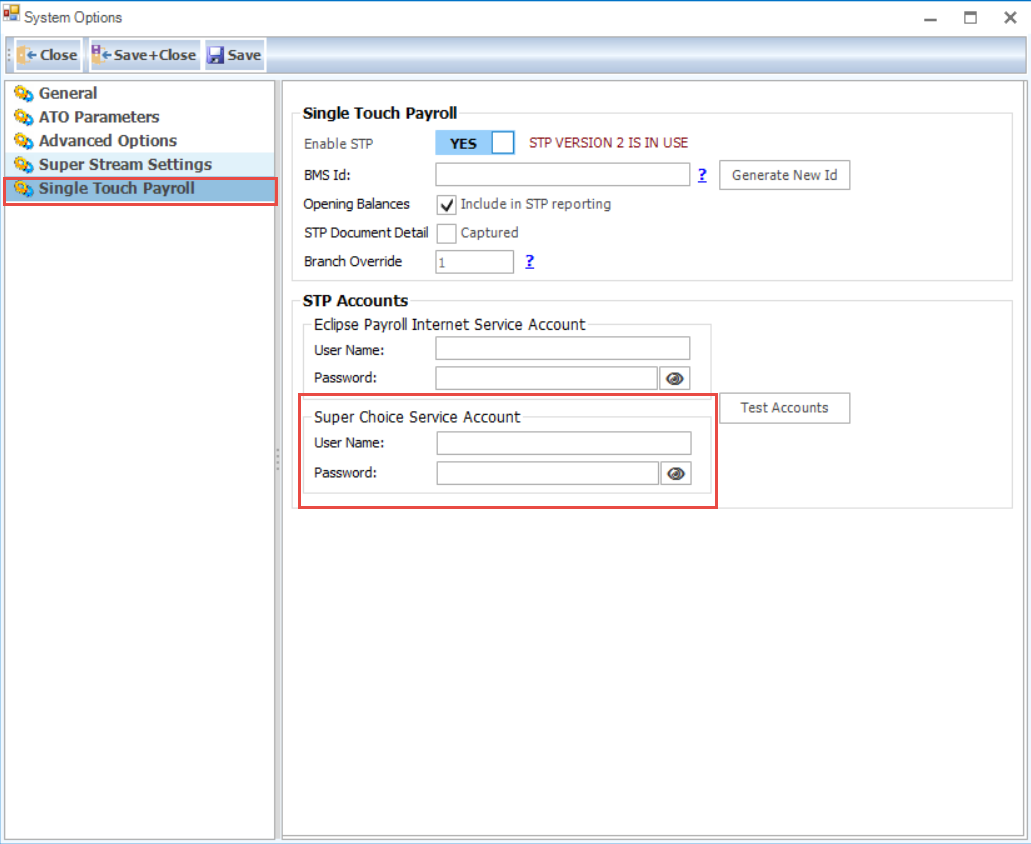
In the Single Touch Payroll tab, enter the Username and Password for your STP account in the Super Choice Service Account field.
If you are having any difficulties following the self registration process please call the UBS helpdesk and we can assist