
Eclipse Checklists
Eclipse Checklists can only be created through the Stock & Accounting module.
Stock & Sales tab > Sales settings icon > Eclipse Checklists.

These Checklists are only visible and can only be applied on the Eclipse Online App, they will not show anywhere on the Desktop or Aura.
Adding an Eclipse Checklist to a job can be done by opening a Repair Order through the Service Bookings area on Eclipse Online, going to the Jobs tab at the bottom, clicking the three dots next to the job, and applying the checklist.
Eclipse Checklists are added on a per job basis rather than for the whole repair order, each job can have multiple checklists applied.
System Checklists
System Checklists can be created in two areas:
Stock & Sales tab > Sales Settings Icon > System Checklists

Service Maintenance Tab > Repair Orders > System Checklists
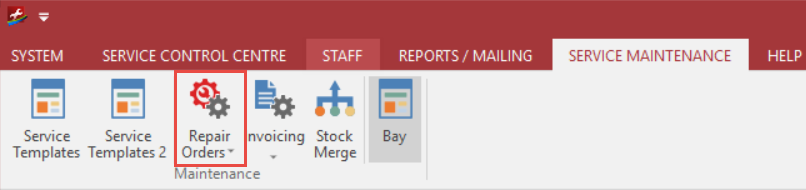
These Checklists are only visible in Service on the desktop, via the Repair Order itself or the Workshop Controller.
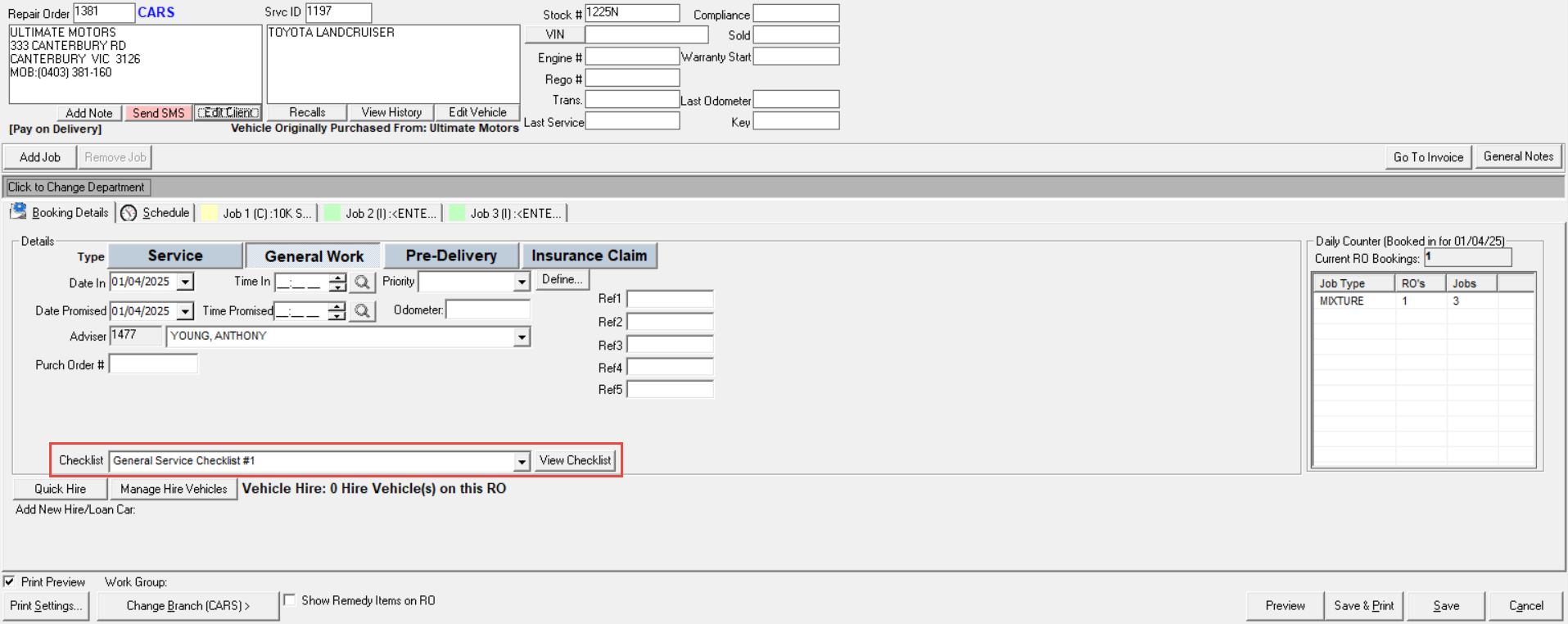
Manually adding the System Checklists can only be done on the Repair Order screen, the box will show up below the general repair order details.
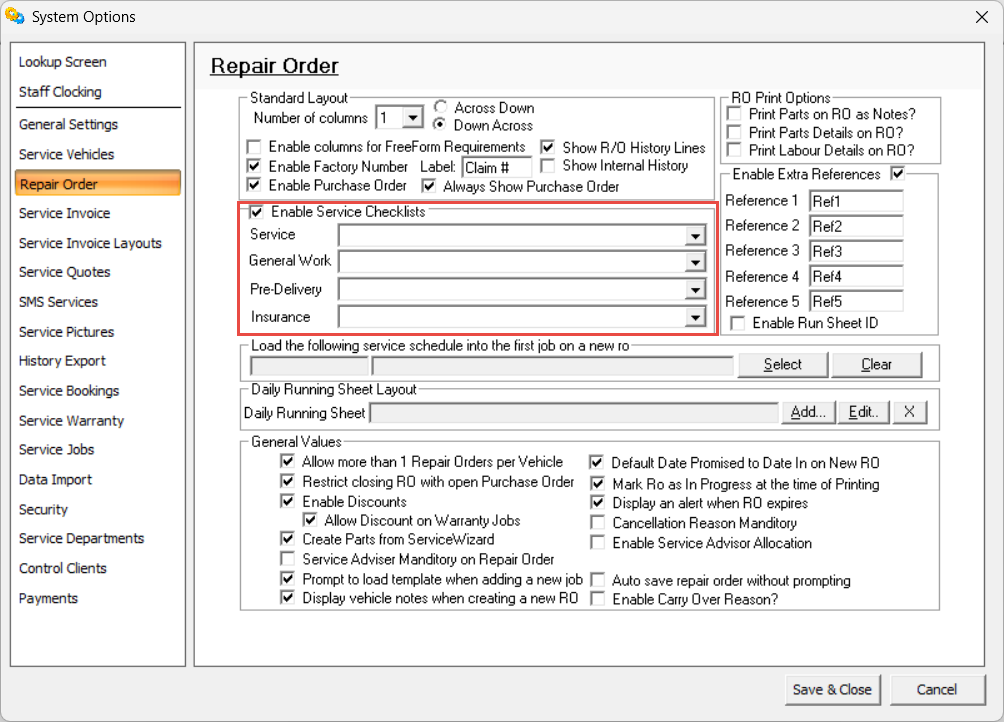
Service System Options has a setting where these checklists can be automatically applied to any created Repair Order dependent on the Repair Order Type.
Only one System Checklist can be applied to each Repair Order.