UBS Knowledge Base
Breadcrumbs

How to create shop supplies


Shop supplies are used to charge out supplies and sundries on a repair order. The can include items such as consumables, environmental levy, and petrol.


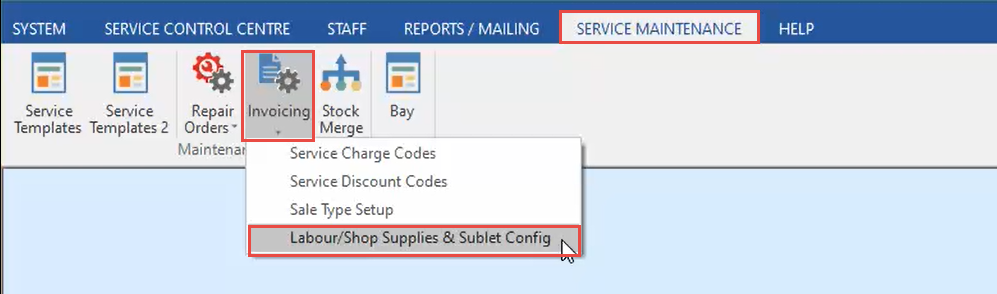
  1. In the Service Maintenance tab, click Invoicing, then Labour/Shop Supplies & Sublet Config.
    https://s3-ap-southeast-2.amazonaws.com/aus-cdn.freshdesk.com/data/helpdesk/attachments/production/51237392150/original/z1WLbN1QYFh4jLwnK4_pLcRMMelJebViPA.png?1752623337

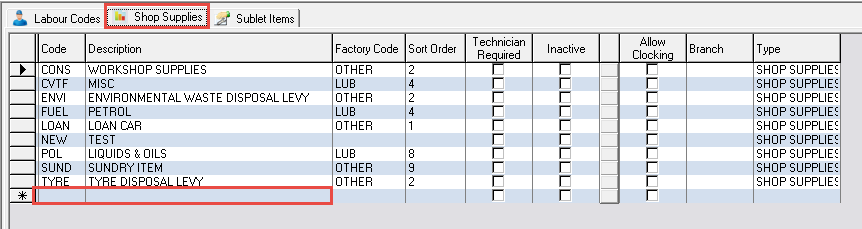
  2. In the Shop Supplies tab, click on the next available line, and enter a Code and Description.
    https://s3-ap-southeast-2.amazonaws.com/aus-cdn.freshdesk.com/data/helpdesk/attachments/production/51237393237/original/pJoyd1kwLfytPqcf622hGpMv9S1TC6VFEA.png?1752623487

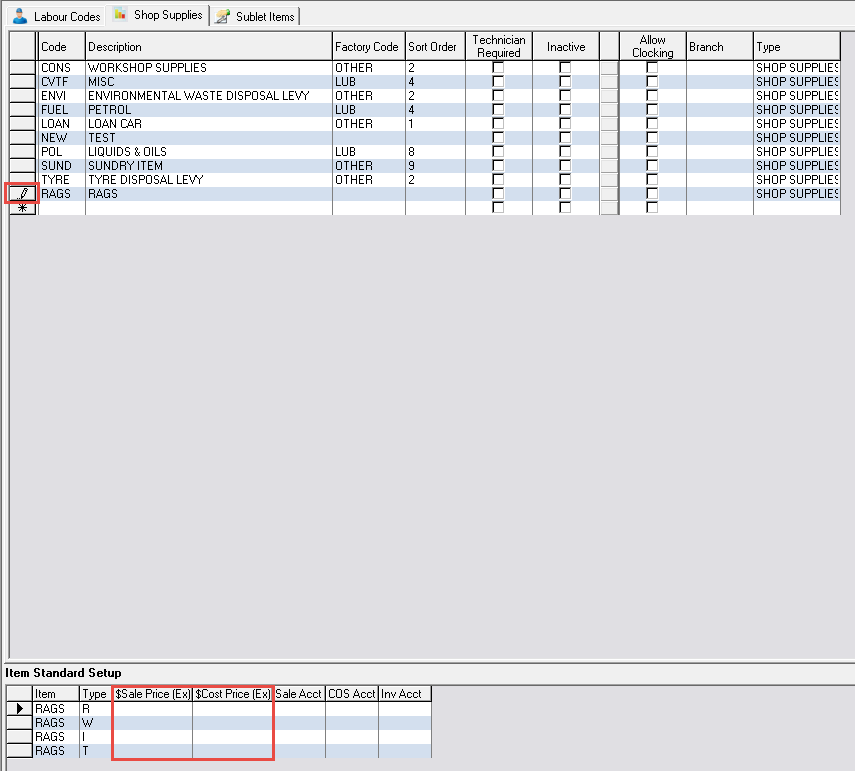
  3. With the new shop supply selected, enter a Sale and Cost Price against each job type applicable (Retail, Warranty, Internal, Trade).
    https://s3-ap-southeast-2.amazonaws.com/aus-cdn.freshdesk.com/data/helpdesk/attachments/production/51237394192/original/5bKjIFFrbCu_h4DE_zlYQYEfFi7YtGOQXw.png?1752623622
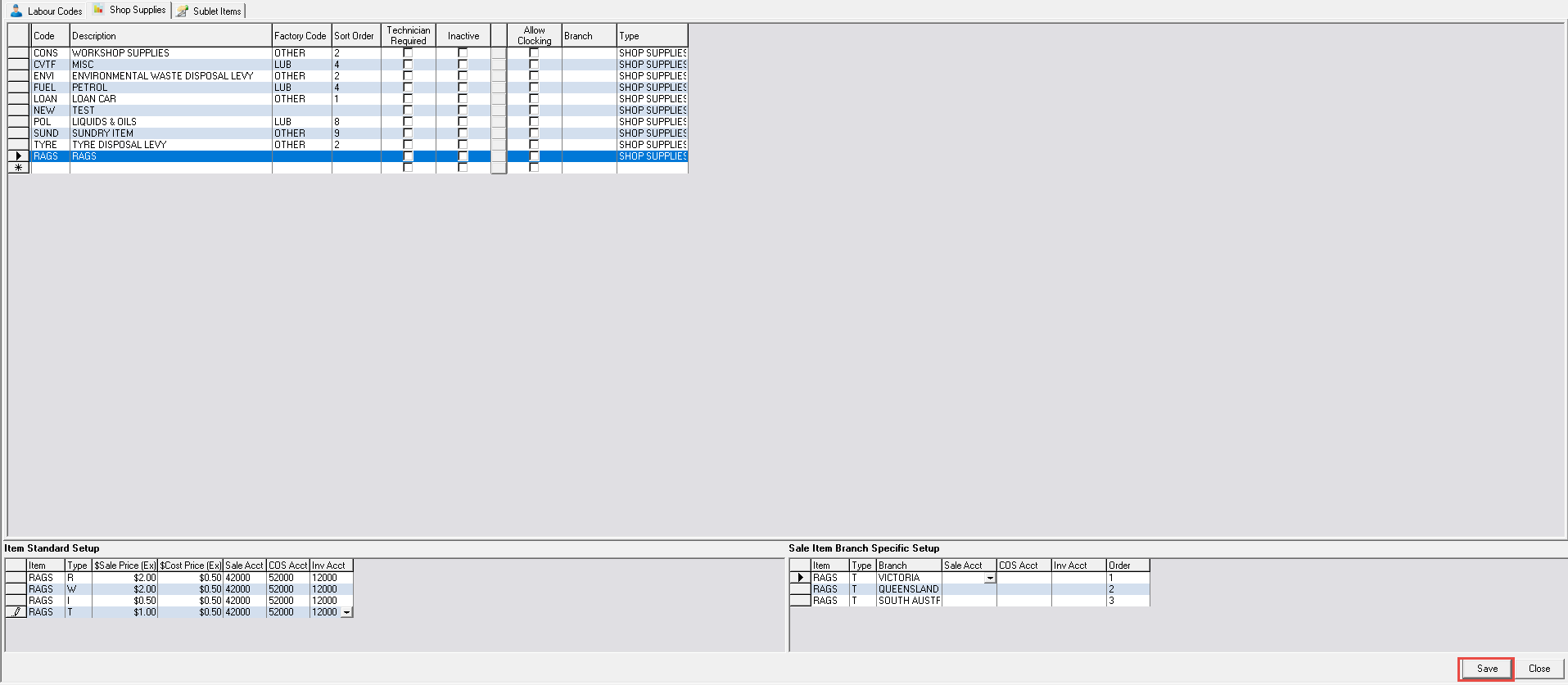
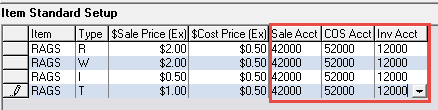
  4. Enter an associated Sales, COS, and Inventory GL Account against each job type (please note - your accounts may differ to what is shown below).
    https://s3-ap-southeast-2.amazonaws.com/aus-cdn.freshdesk.com/data/helpdesk/attachments/production/51237395009/original/zNyMBdXcvcq2dbXN2rTjUiuehW80fbb0WA.png?1752623728
  5. Click Save.

    https://s3-ap-southeast-2.amazonaws.com/aus-cdn.freshdesk.com/data/helpdesk/attachments/production/51237395163/original/uKJsZfzb4wsxINPn9N_QzudAV3DZQN2Z9A.png?1752623757


If you do not see the Save button, maximise the window


Related Articles


How to set up labour codes


How to create sublet items