
UBS Knowledge Base
Breadcrumbs

How to merge service vehicles

In the event that you have 2 identical service vehicles owned by the same client, they should be merged.


If the duplicate vehicle is owned by different clients, you should just mark the one not owned by the client anymore as disposed


  1. In the Service Maintenance tab, click Stock Merge.

    https://s3-ap-southeast-2.amazonaws.com/aus-cdn.freshdesk.com/data/helpdesk/attachments/production/51258110345/original/vZRmhmqMZeZLatrcDxG91X0V2ioGxpPcZg.png?1761110159

  2. Find the duplicates in the list.

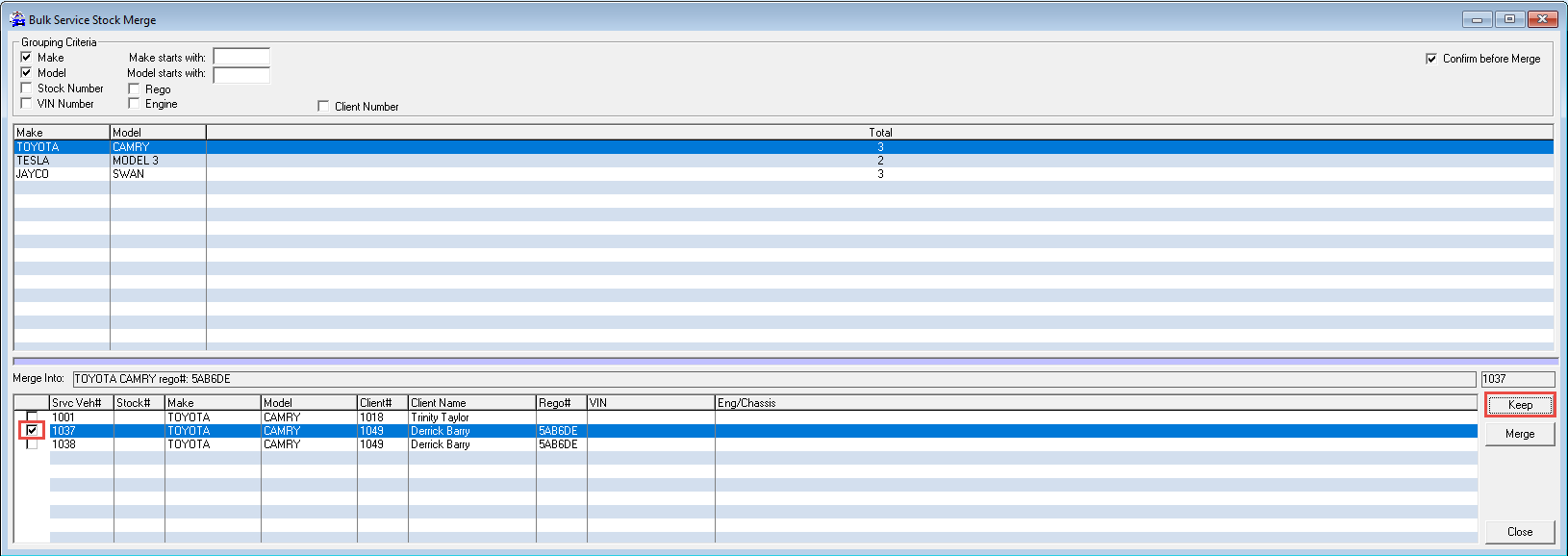
  3. Tick the vehicle you wish to keep, then click Keep.
    https://s3-ap-southeast-2.amazonaws.com/aus-cdn.freshdesk.com/data/helpdesk/attachments/production/51258110386/original/jDdsgHRxnumbsF06vTRM-j9PvSdJa-loJQ.png?1761110168

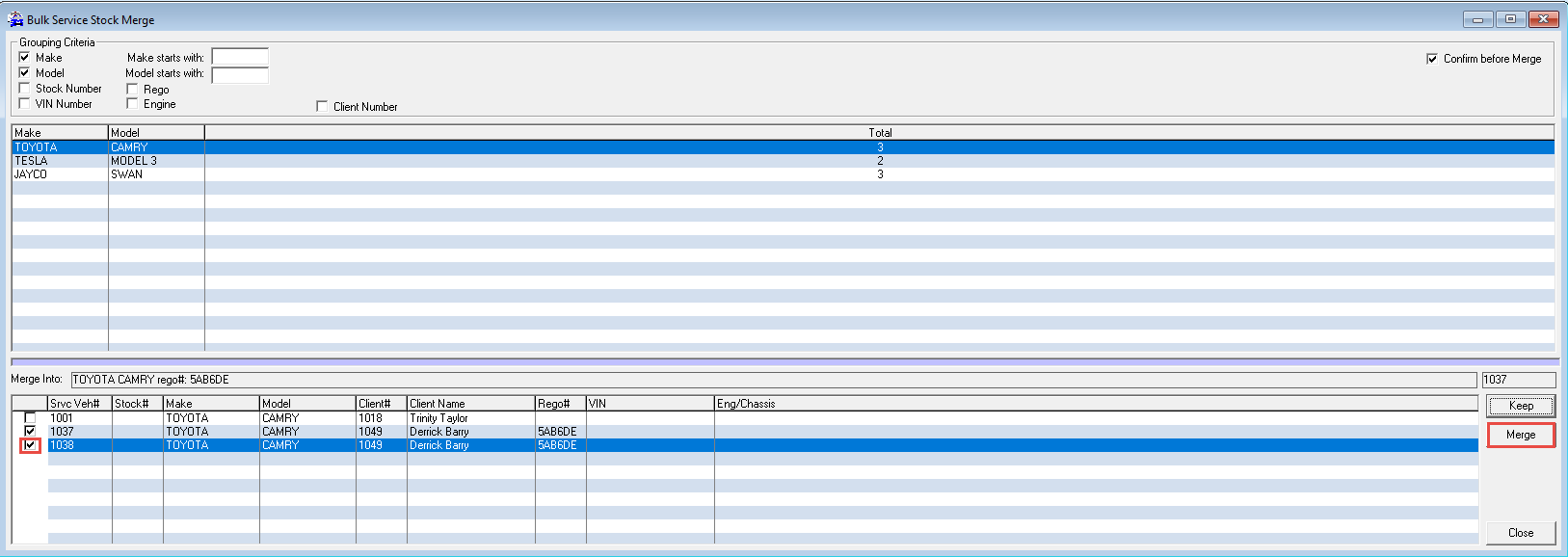
  4. Tick the vehicle you wish to remove, then click Merge.
    https://s3-ap-southeast-2.amazonaws.com/aus-cdn.freshdesk.com/data/helpdesk/attachments/production/51258110445/original/hRYNQQFSn8qGHzOYUmIwZLEs-eD-ZQgjnw.png?1761110175

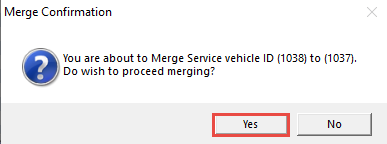
  5. A confirmation message will pop up, click Yes.
    https://s3-ap-southeast-2.amazonaws.com/aus-cdn.freshdesk.com/data/helpdesk/attachments/production/51258110471/original/HiDeKSGeHFHmJVk3UPi2Jicq4_uXoJAHXw.png?1761110182


This action cannot be un-done, so ensure you keep/merge the correct vehicle


Related Articles


How to add a new service vehicle