UBS Knowledge Base
Breadcrumbs

How to add a new client in Aura

A client should be added in for every prospect, customer, and supplier.


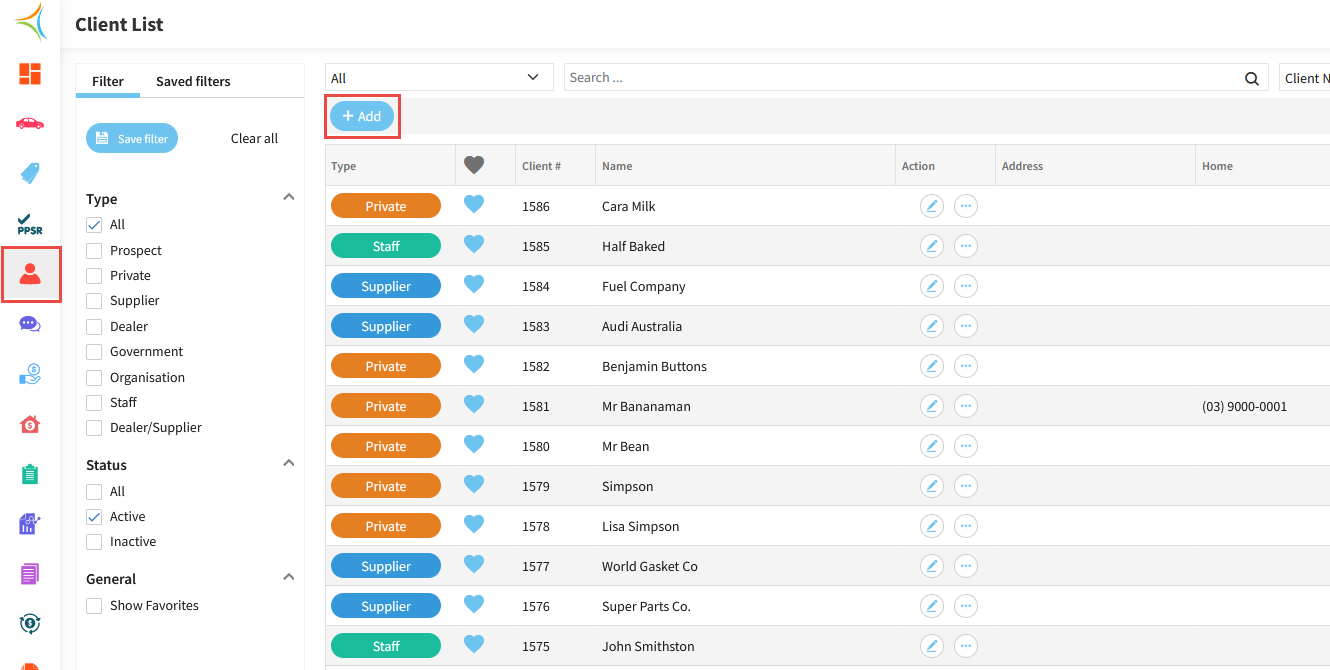
  1. Click the Person Icon to open up the Client List, then click Add.
    https://s3-ap-southeast-2.amazonaws.com/aus-cdn.freshdesk.com/data/helpdesk/attachments/production/51259420555/original/8uQQgoe3VuMIHqtnj5mBcDfPY6BjjSE_6g.png?1761690662

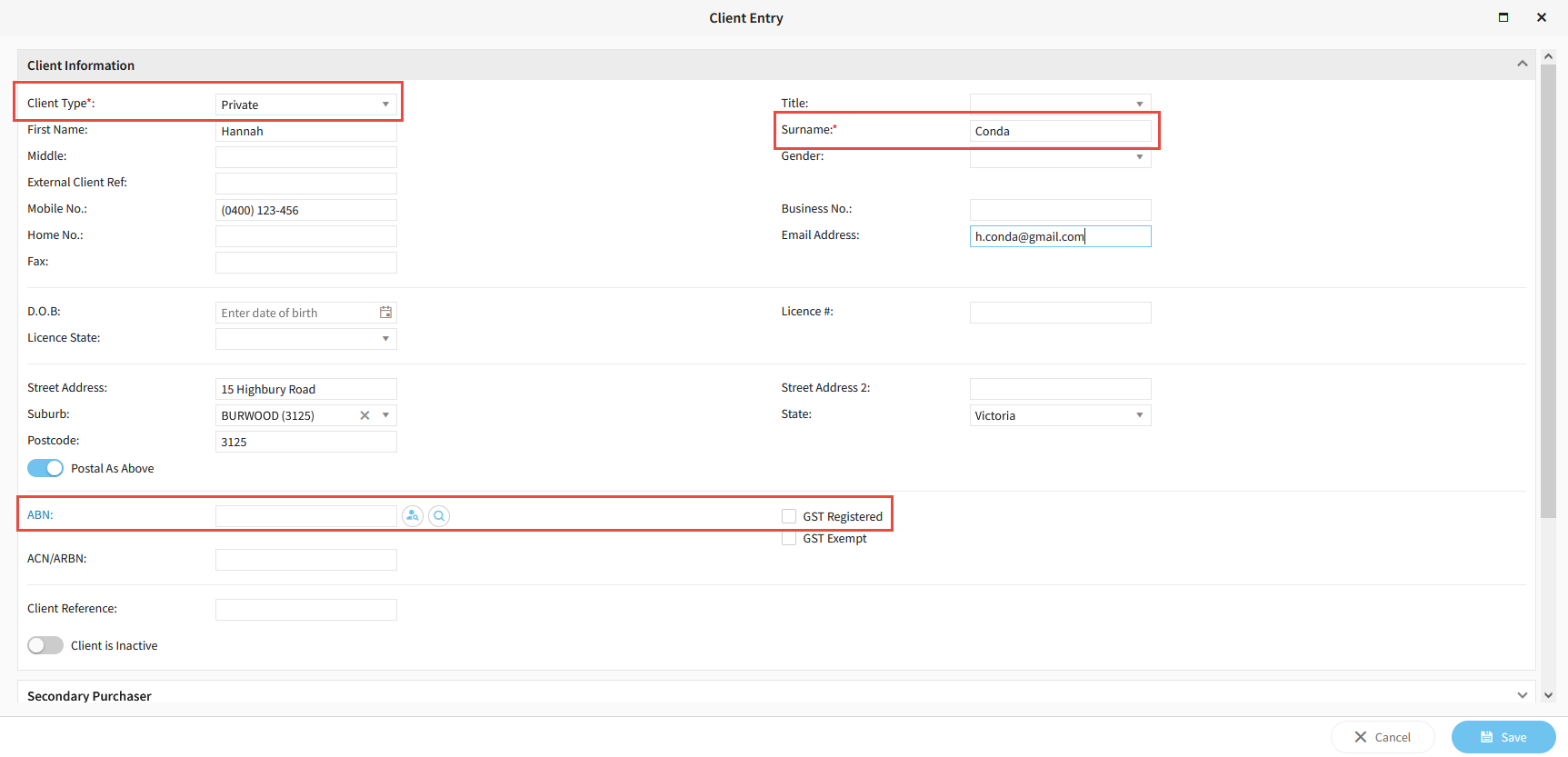
  2. Enter at a minimum the mandatory fields (Type and Surname).

  3. Enter as many client details as possible.

  4. If the client is a business, ensure you enter the ABN and tick GST registered.

  5. Click Save.

    https://s3-ap-southeast-2.amazonaws.com/aus-cdn.freshdesk.com/data/helpdesk/attachments/production/51259420624/original/AxvmaBm08PZ1tmzquZ0COq7kOlO6twHitw.png?1761690671