
A debtors invoice needs to be added into Eclipse so that you can bank money received against it. You should NOT add a debtors invoice for vehicle sales, as the system will do this for you when a vehicle sale is created.
-
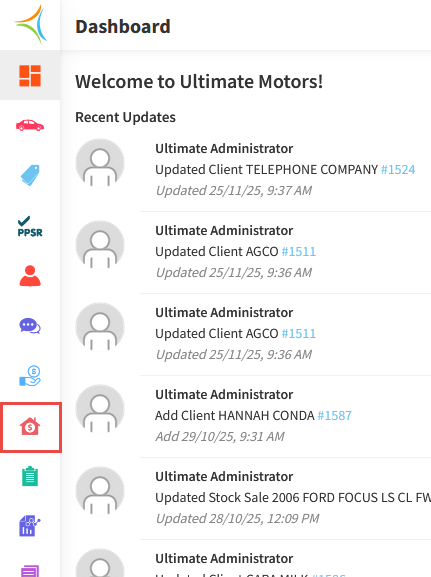
From the Dashboard, hover over the Accounts Receivable icon.
-
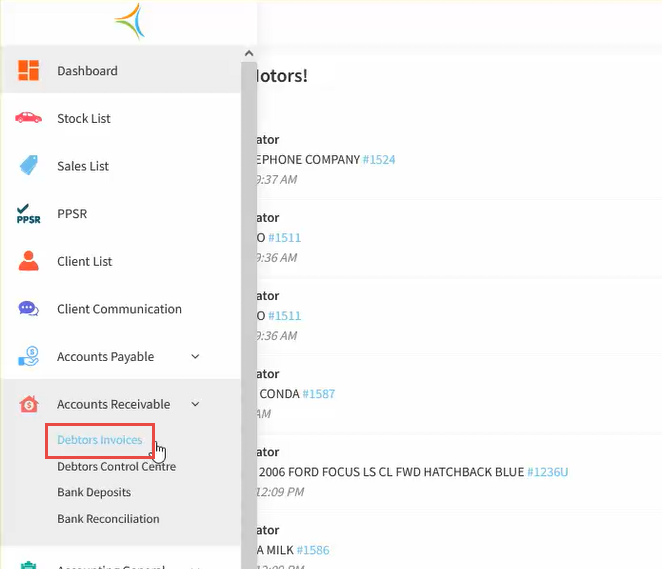
Click Debtor Invoices.
-
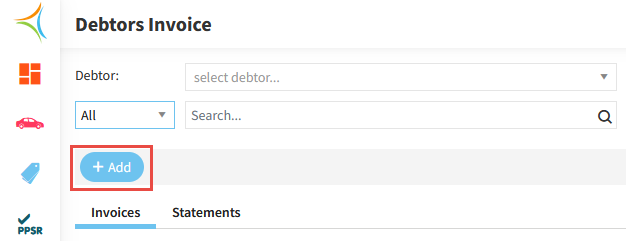
Click Add.
-
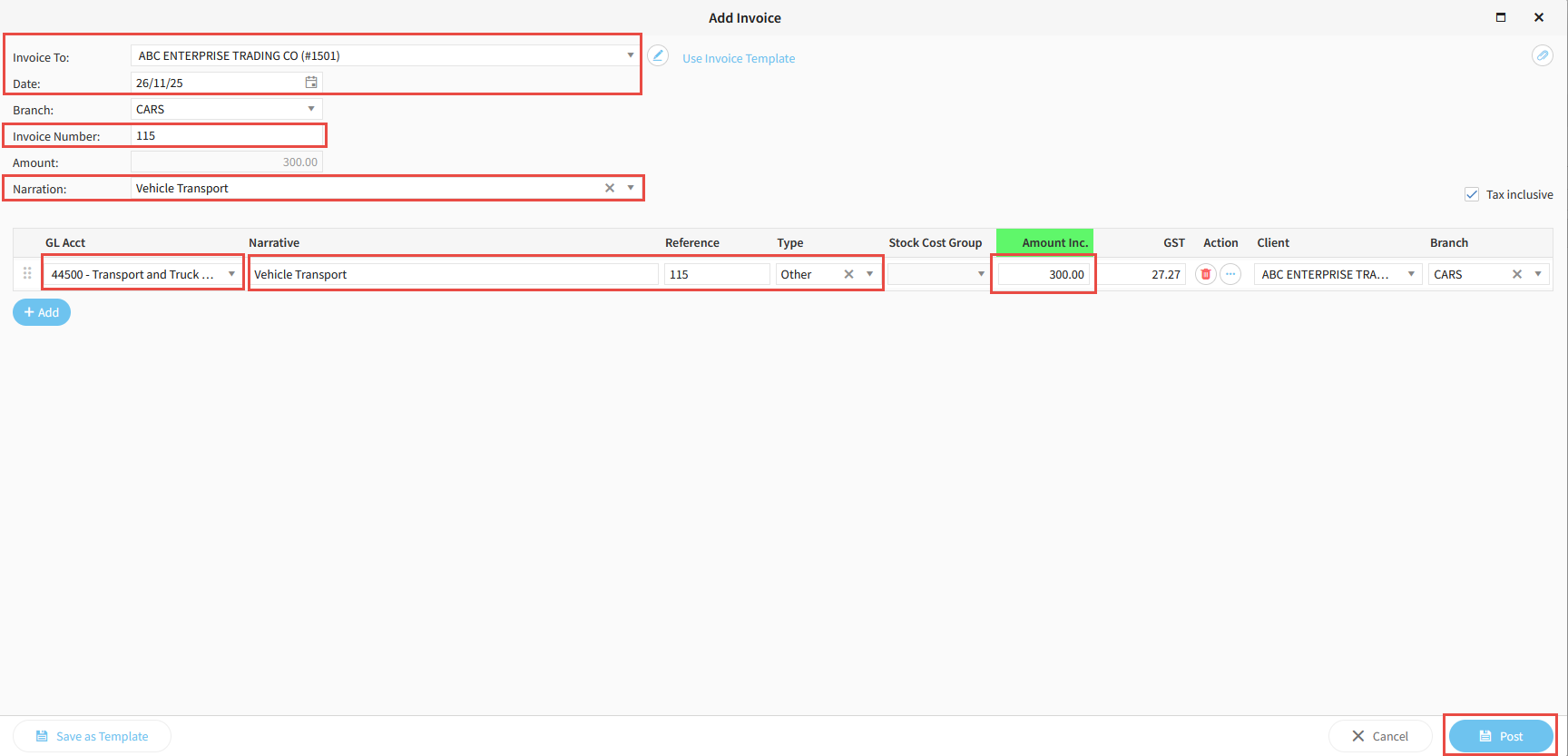
Select the Customer Name in the Invoice To field.
-
Enter the Date for the invoice.
-
Enter an Invoice Number and a Narration.
-
Select the appropriate GL Account.
-
Enter a Narrative, Reference, and Reference Type.
-
Enter the Invoice Amount.
-
Click Post.
Related Articles
How to bank EFTPOS receipts in Aura
How to bank undeposited cash in Aura
How to receipt money deposited into your bank account in Aura