
A vehicle cost is any cost associated with purchasing the stock unit, such as freight or detailing costs.
-
In the top right corner, click Your Name.
-
Select Settings, then Stock/Sales.

-
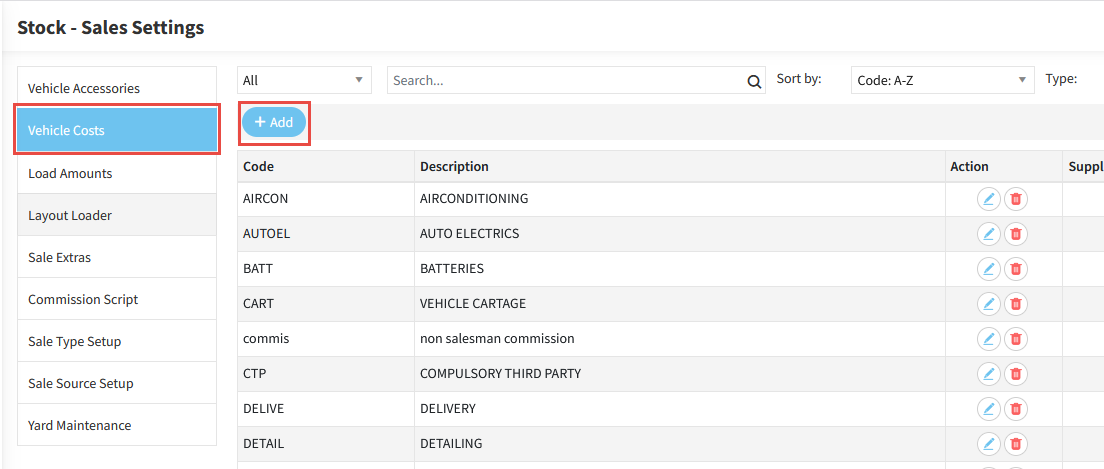
Navigate to the Vehicle Costs tab, then click Add.
-
Enter a Code and Description.
-
Enter the Cost Amount.
-
Select whether the cost Applies To Most New Stock, or if it is an Internal Cost.
-
Select the appropriate Supplier Option.
-
Select your Accounts Payable/Creditors Account, or the appropriate GL Account if it is an internal cost.
-
Click Save.
