
UBS Knowledge Base
Breadcrumbs

Navigating the dashboard

When you log in to Aura, the first screen displayed is the dashboard. Here you can see recent activity and sales data.


The left hand side displays recent activity made by your dealership, such as adding stock unit and clients.
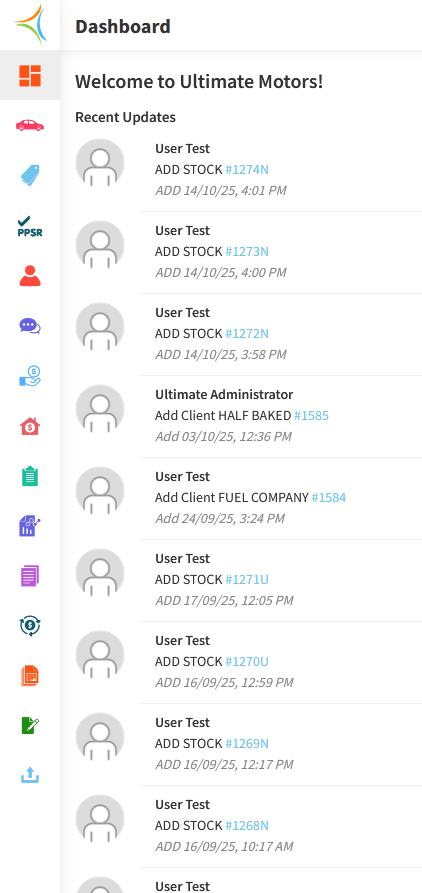
https://s3-ap-southeast-2.amazonaws.com/aus-cdn.freshdesk.com/data/helpdesk/attachments/production/51257415874/original/8hStvbmYTxfNN-a0Nsiq70TN02dunN7fbg.png?1760916810


The right hand side displays sales data. Here you can view sales made on any given date, the type of stock that has been sold (new, used, demo), and the make of stock unit sold.
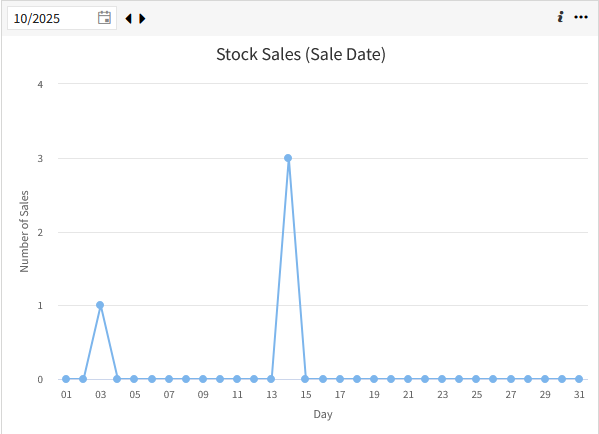
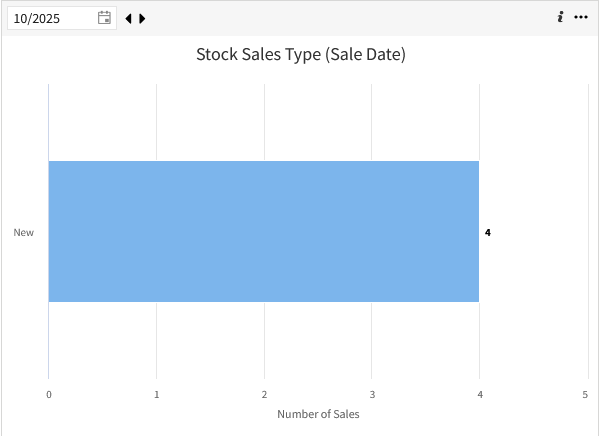
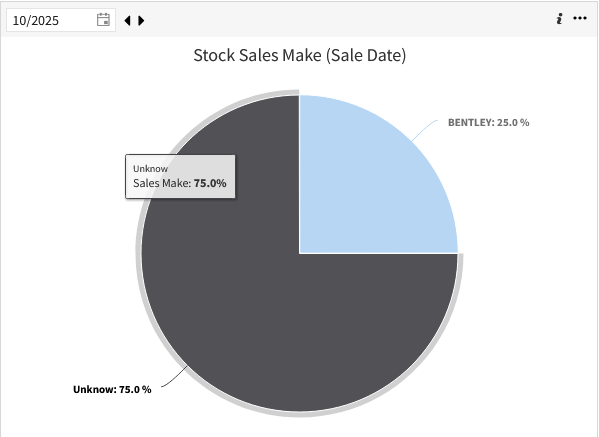
https://s3-ap-southeast-2.amazonaws.com/aus-cdn.freshdesk.com/data/helpdesk/attachments/production/51257416738/original/7XeIWelixQUKvbL_SDhEp3gTY0XrN43PQg.png?1760916950

https://s3-ap-southeast-2.amazonaws.com/aus-cdn.freshdesk.com/data/helpdesk/attachments/production/51257416790/original/XE0ZMP9w6s3qgrReYaQxhauvrWCnMaRLyQ.png?1760916958

https://s3-ap-southeast-2.amazonaws.com/aus-cdn.freshdesk.com/data/helpdesk/attachments/production/51257416853/original/i0flpODnFFAAtOzZvZZc9f1uFA3Cl2CJ0g.png?1760916967