UBS Knowledge Base
Breadcrumbs

How to run a PPSR search in Aura

There are 2 ways to run a PPSR search in Aura; from the PPSR page, or in the stock details screen. The search result will then be stored in both the PPSR page and against the individual stock unit.


PPSR Page

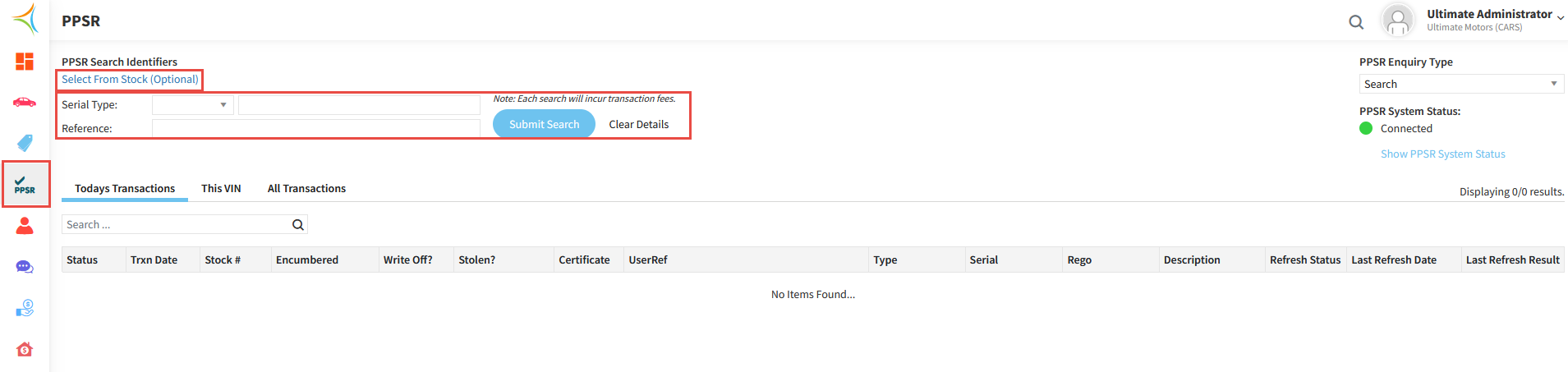
  1. Click the PPSR icon on the left hand side menu.

  2. Either click Select From Stock (which will allow you to select your stock unit from a drop down), or enter a Key Identifier to find the correct stock unit.

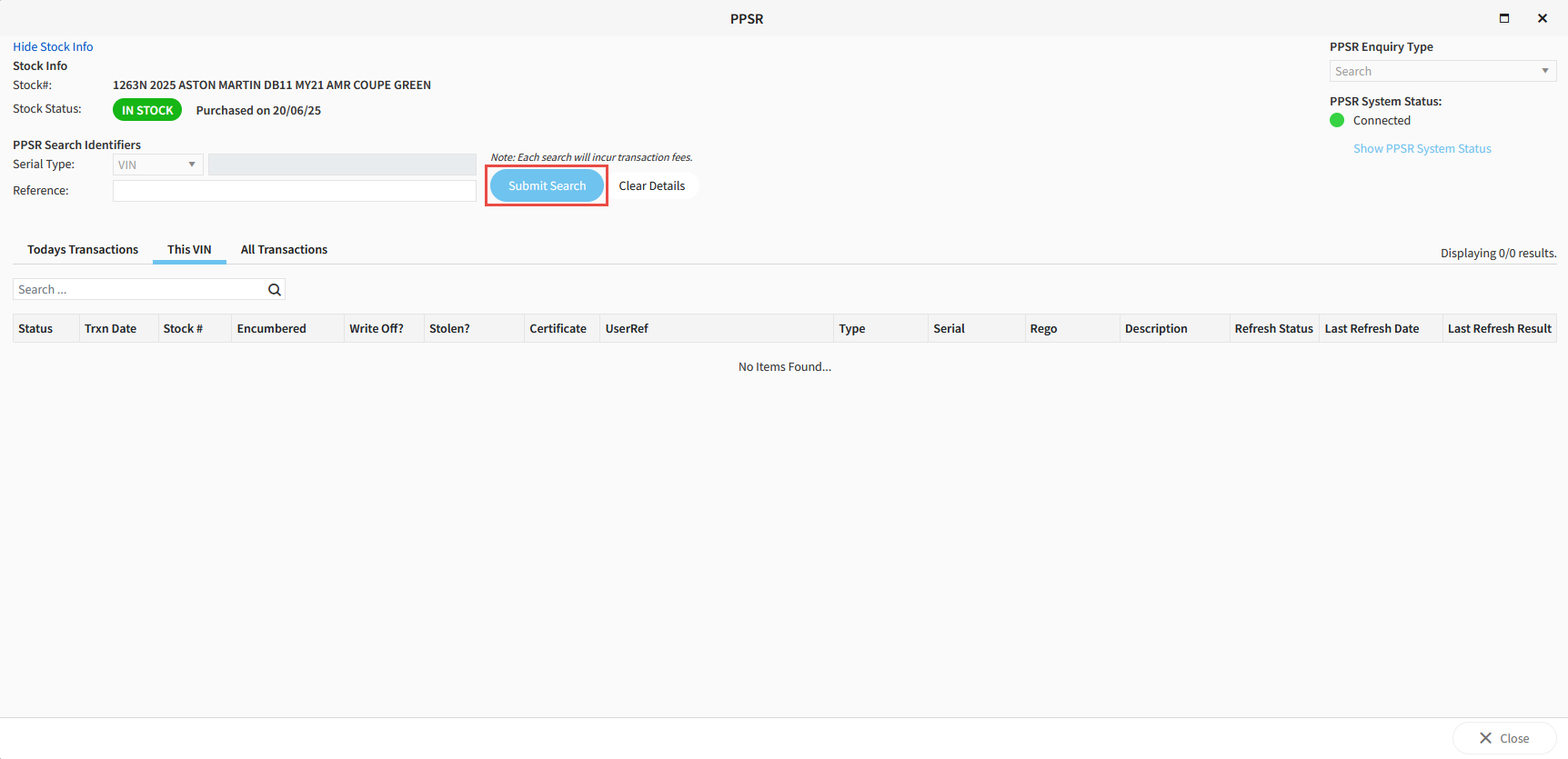
  3. Click Submit Search.

    https://s3-ap-southeast-2.amazonaws.com/aus-cdn.freshdesk.com/data/helpdesk/attachments/production/51257943240/original/DJJumV46x9TDz-1Z4E9D8XYSO8epkZU6Tw.png?1761086493


Stock Detail Screen

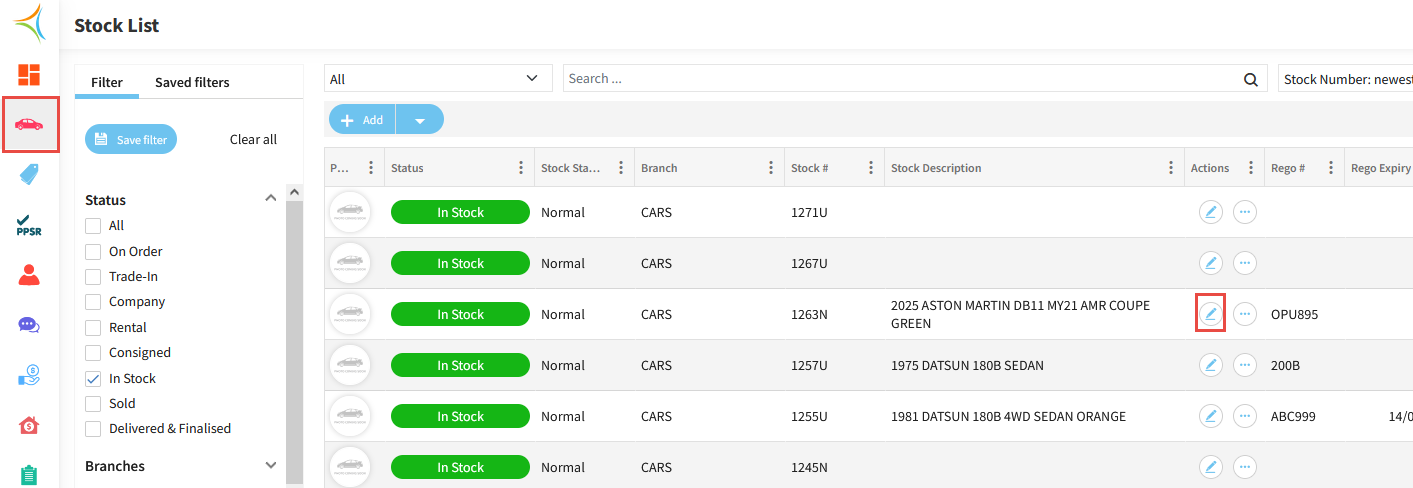
  1. Click the Car icon on the left hand side menu.

  2. Find your Stock Unit and click the Pencil (edit) icon.
    https://s3-ap-southeast-2.amazonaws.com/aus-cdn.freshdesk.com/data/helpdesk/attachments/production/51257943156/original/IgGWzIfoRx3kRg0BmKX0U-PK0aQKC7UYOQ.png?1761086472

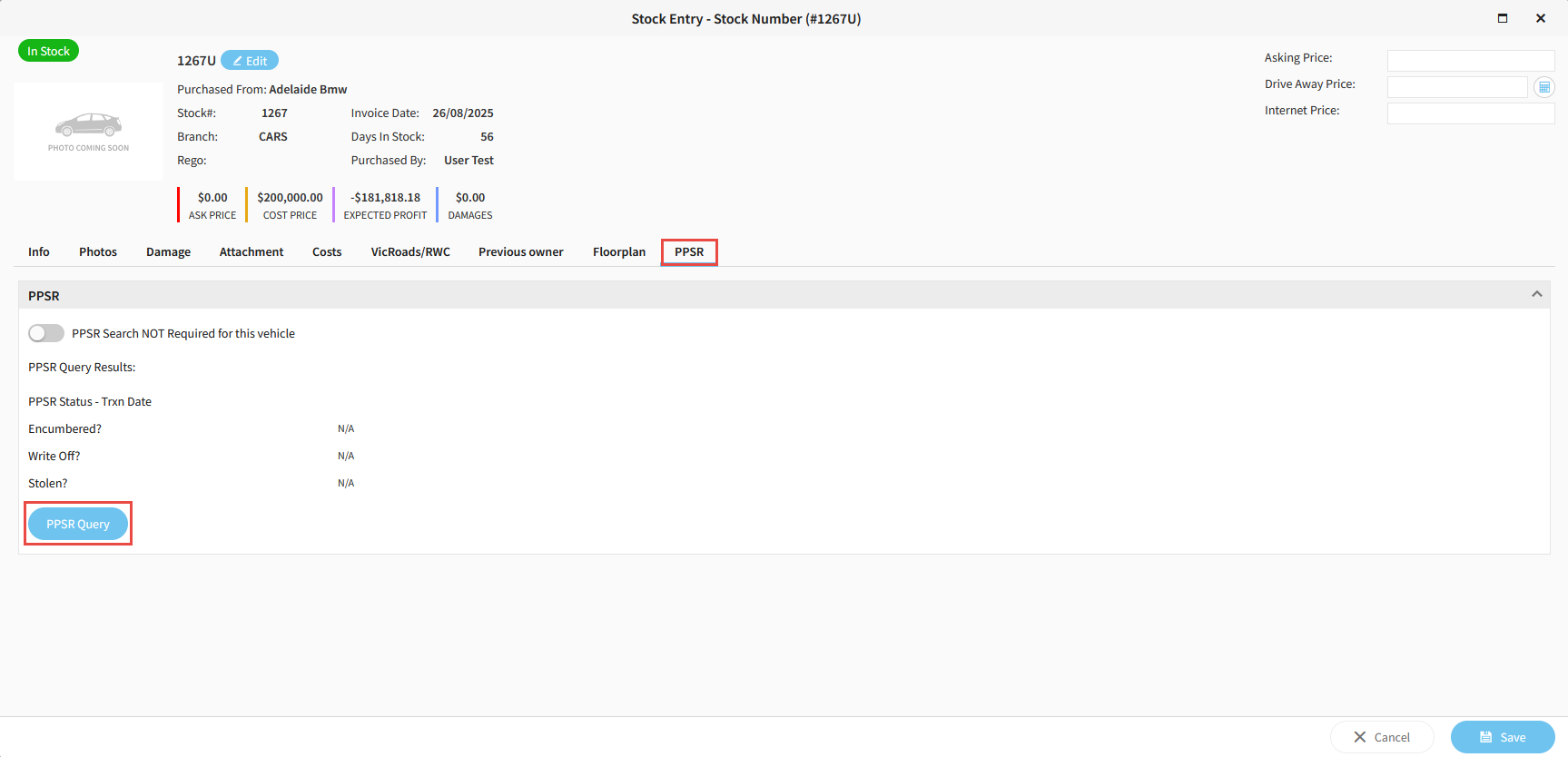
  3. Navigate the to PPSR tab, then click PPSR Query.
    https://s3-ap-southeast-2.amazonaws.com/aus-cdn.freshdesk.com/data/helpdesk/attachments/production/51257943184/original/FLBlR4uES-aTqcK72zT878PeZc70OpU6sQ.png?1761086481

  4. Click Submit Search.

    https://s3-ap-southeast-2.amazonaws.com/aus-cdn.freshdesk.com/data/helpdesk/attachments/production/51257943080/original/BGodyYJ69KDIBA4c4pF9NxEVXg6DDLK6ZQ.png?1761086457


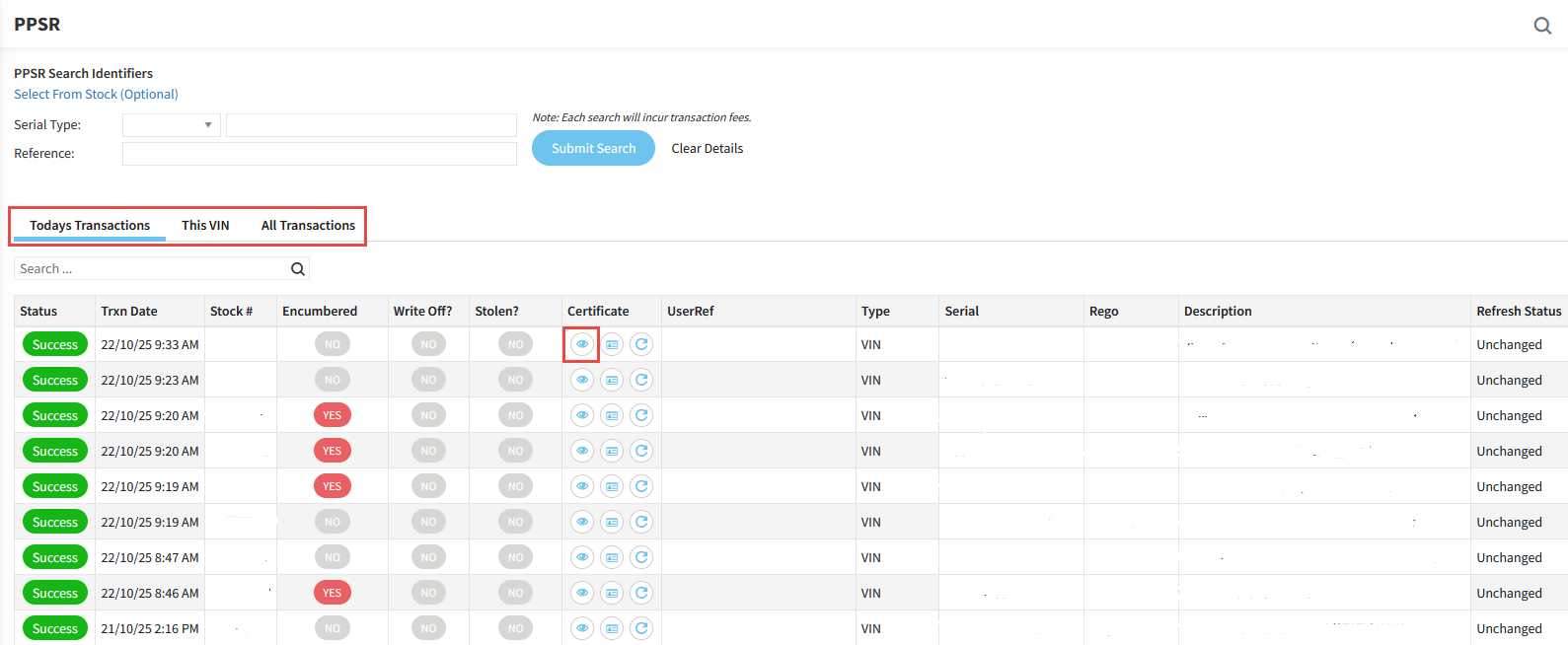
All searches will be saved and stored under the appropriate heading in the PPSR screen; Todays Transactions, This VIN, and All Transactions. To view the Certificate, click the Eye icon

https://s3-ap-southeast-2.amazonaws.com/aus-cdn.freshdesk.com/data/helpdesk/attachments/production/51257950481/original/YcayfhF3A8yEvZUUqiOWazAy6o4pPrs2Pw.png?1761087616


Related Articles


Navigating the stock detail screen


How to add a new stock unit in Aura