
In the Aura program there are 2 ways you can pay your creditors, either from the Creditors Invoices screen, or from the Creditors Control Centre.
Creditors Invoices Screen
-
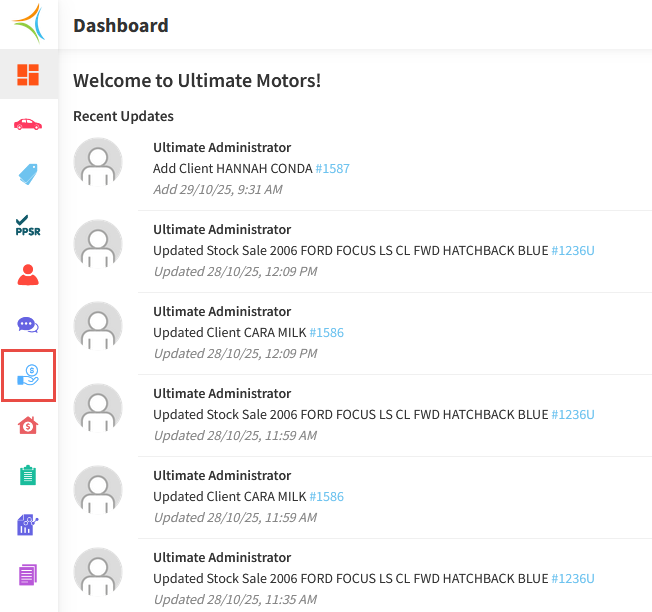
From the Dashboard, hover over the Accounts Payable icon.
-
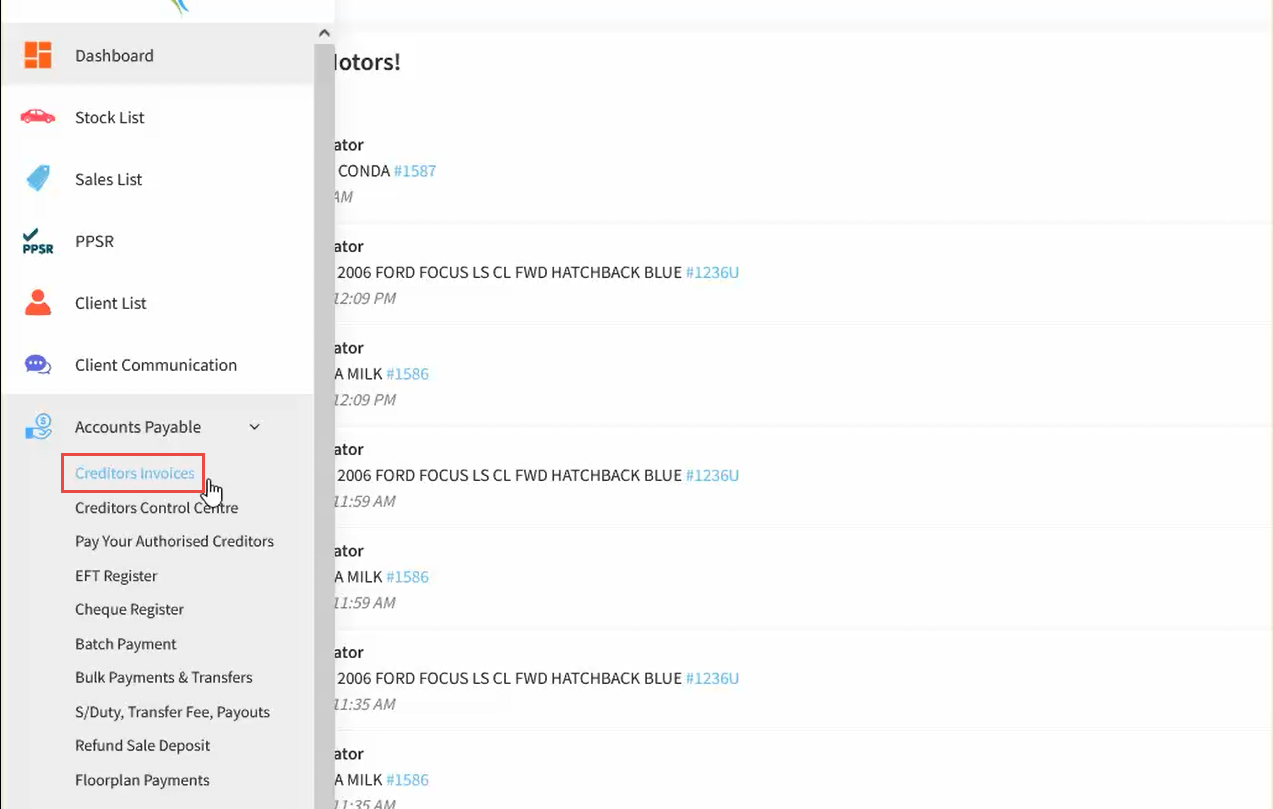
Click Creditor Invoices.
-
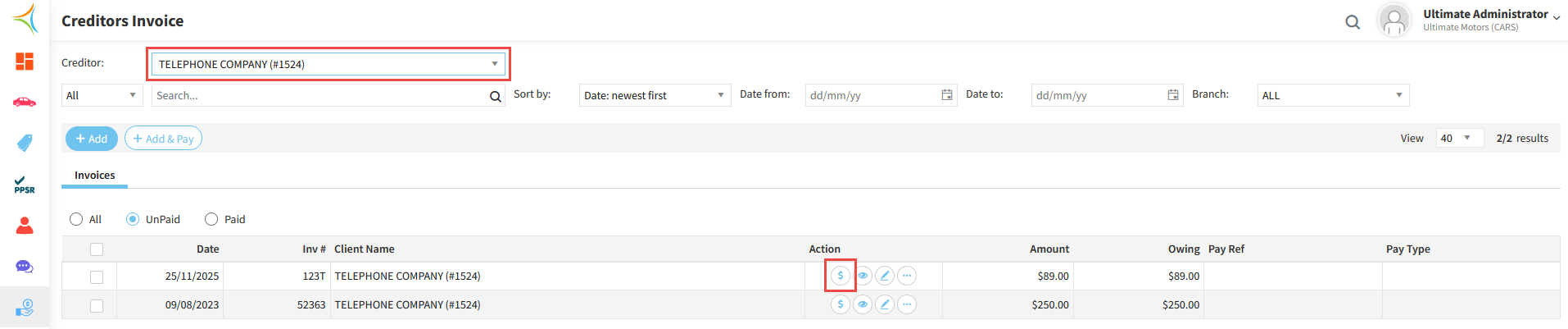
Select the Creditor, then click the Pay Now icon against an invoice.
-
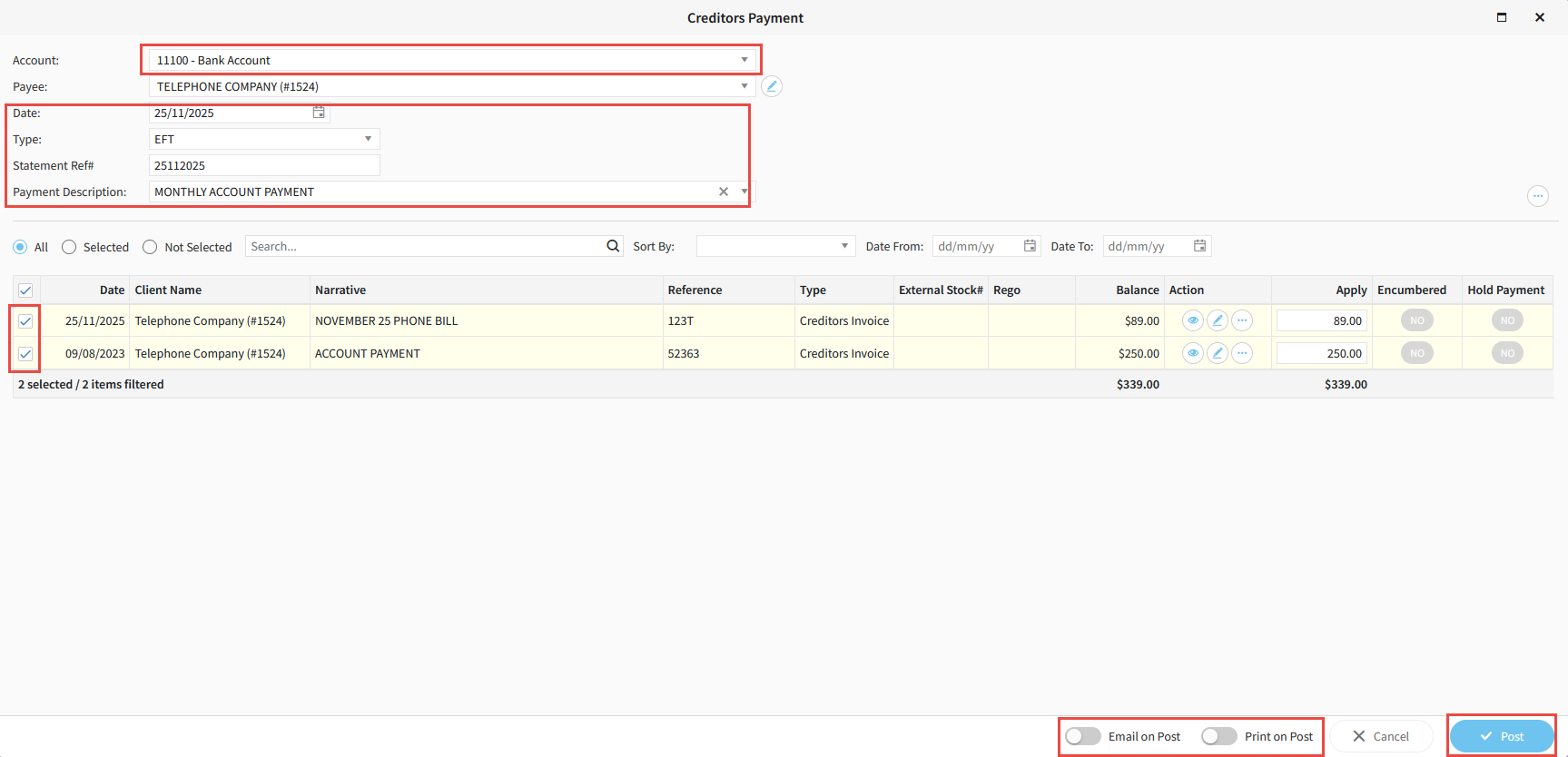
Select the Bank Account you wish to pay out of.
-
If the Date of payment is different to today, ensure you change it to the correct date.
-
Select the Type of payment (EFT for regular EFT payments, EFT Batch if using ABA files, Cheque if paying by cheque).
-
Enter a Statement Reference Number and a Payment Description.
-
Select all Invoices to be paid.
-
If you would like a remittance to be emailed or printed upon posting payments, toggle the appropriate options.
-
Click Post.
Creditors Control Centre
-
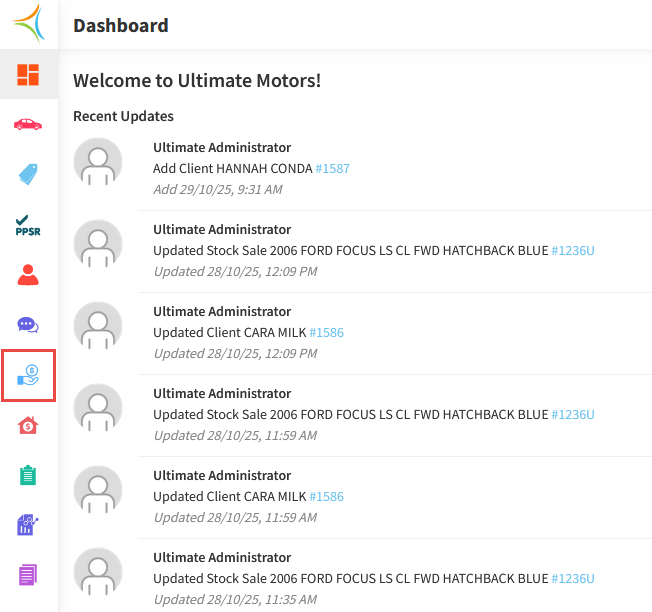
From the Dashboard, hover over the Accounts Payable icon.
-
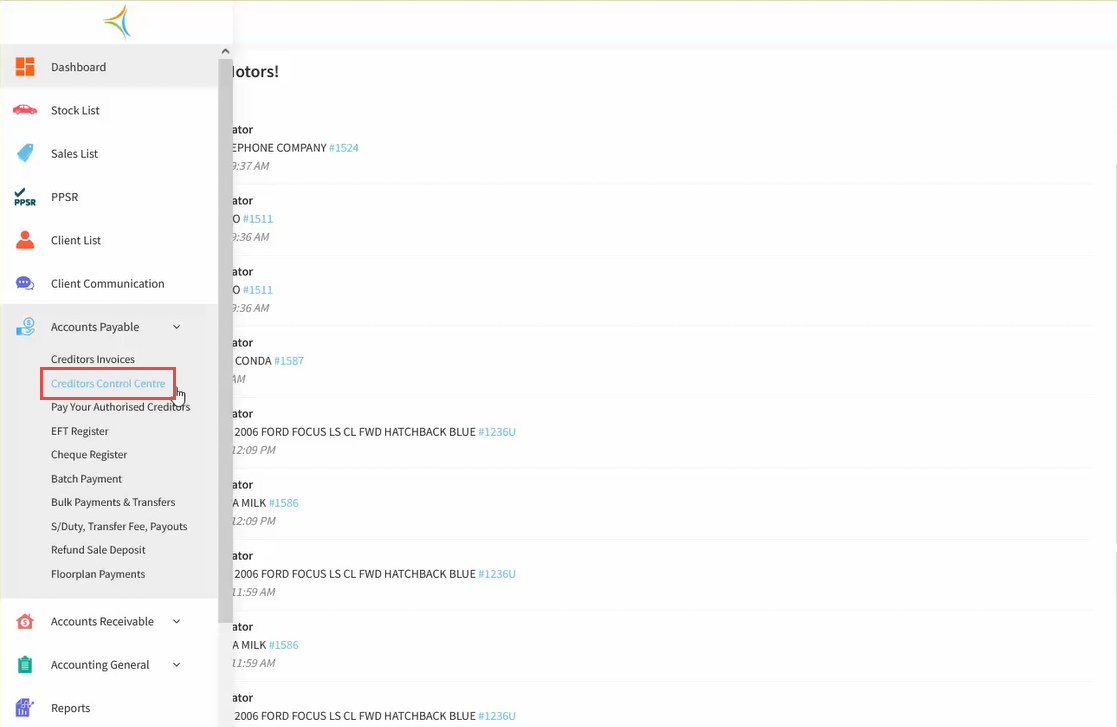
Click Creditors Control Centre.
-
Search for the Creditor, then click the Payment icon.

-
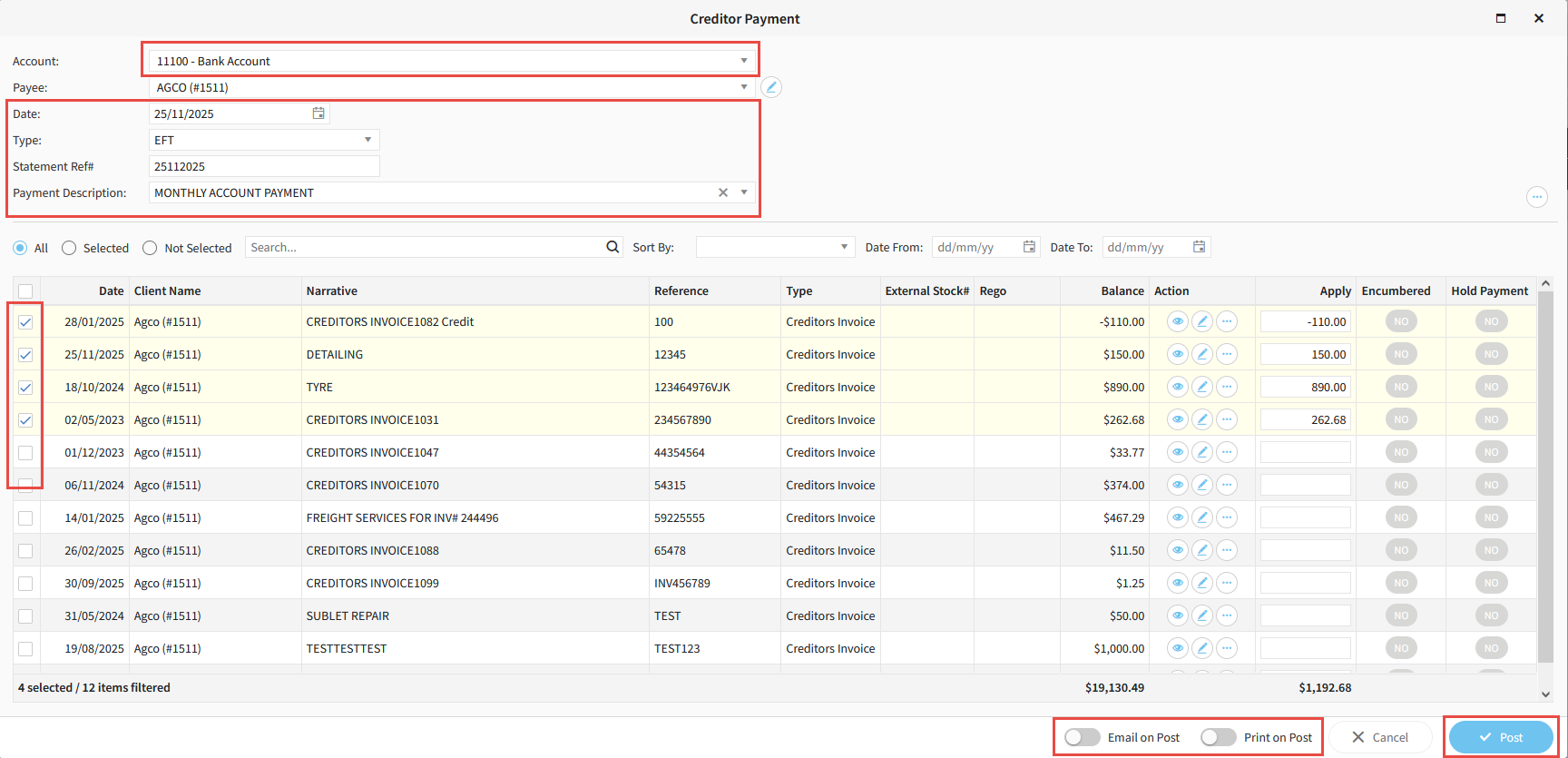
Select the Bank Account you wish to pay out of.
-
If the Date of payment is different to today, ensure you change it to the correct date.
-
Select the Type of payment (EFT for regular EFT payments, EFT Batch if using ABA files, Cheque if paying by cheque).
-
Enter a Statement Reference Number and a Payment Description.
-
Select all Invoices to be paid.
-
If you would like a remittance to be emailed or printed upon posting payments, toggle the appropriate options.
-
Click Post.
Related Articles
How to create a creditors invoice in Aura