
UBS Knowledge Base
Breadcrumbs

Stock upload in Aura

By subscribing to internet advertising with Ultimate you are able to upload stock, images, pricing, and notes to various vehicles advertising sites, such as CarSales.


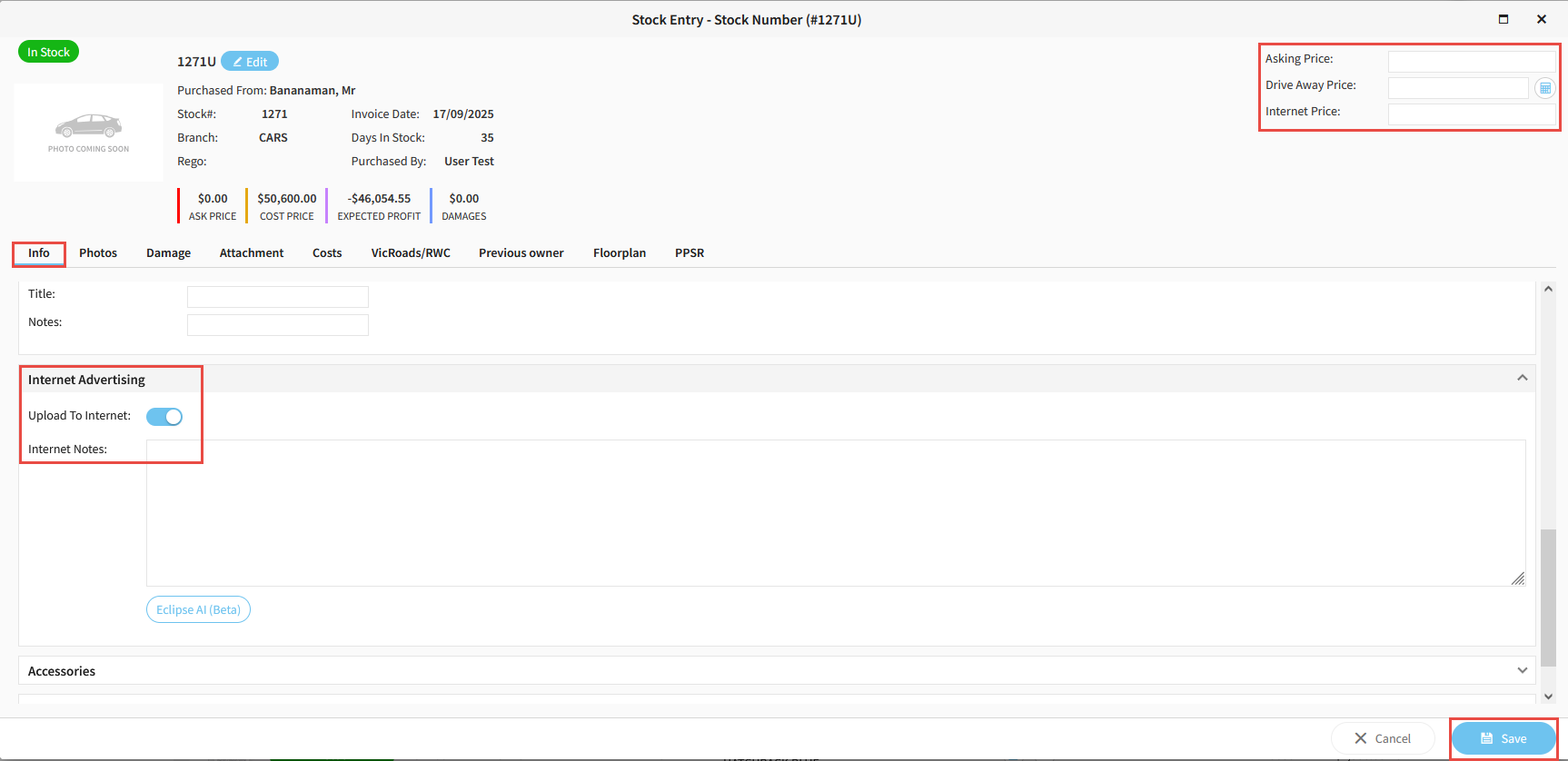
To select a stock to be uploaded, navigate to the Info tab in the Stock Detail screen.

Under the Internet Advertising banner, click the toggle to Upload To Internet, and enter any associated Advertising Notes.

Enter Pricing in the top right hand side and click Save.
https://s3-ap-southeast-2.amazonaws.com/aus-cdn.freshdesk.com/data/helpdesk/attachments/production/51257998778/original/pVZ27tnI4ROX1JfP3Sk76EPUKFfm1-XjEA.png?1761094335


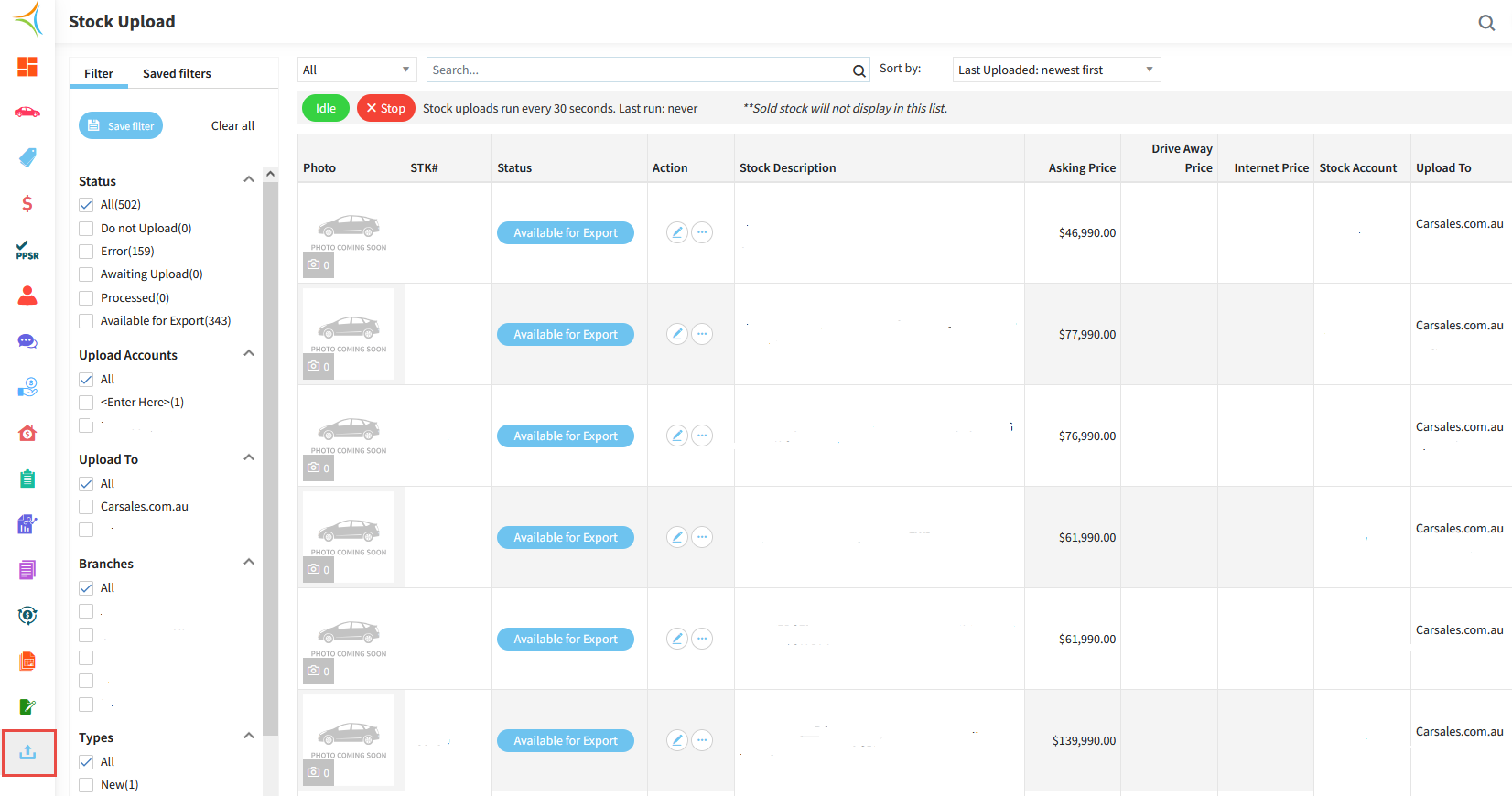
To view what is stock uploaded and where, click the Upload icon on the left hand side menu.

Here you can also see any stock that may not have uploaded, view the reasons why, and have the ability to edit stock from this screen to fix any upload errors.
https://s3-ap-southeast-2.amazonaws.com/aus-cdn.freshdesk.com/data/helpdesk/attachments/production/51258002198/original/0g4nq1iEIZ4IXeibeNPeQM4FYAjHLogqnA.png?1761094749

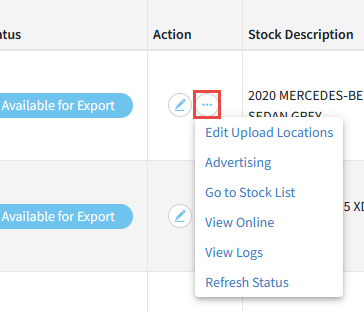
Clicking the 3 dots on the stock line, you can edit upload locations, view online, and view upload logs.
https://s3-ap-southeast-2.amazonaws.com/aus-cdn.freshdesk.com/data/helpdesk/attachments/production/51257998964/original/FhQu6sAgoqdvRdsCLMRlNUttkHCH7b2LLA.png?1761094360


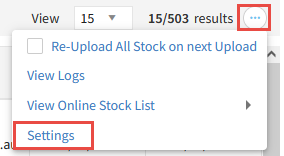
Clicking the 3 dots in the top right hand side and selecting Settings, you have the ability to make changes to what is required/included in the upload.
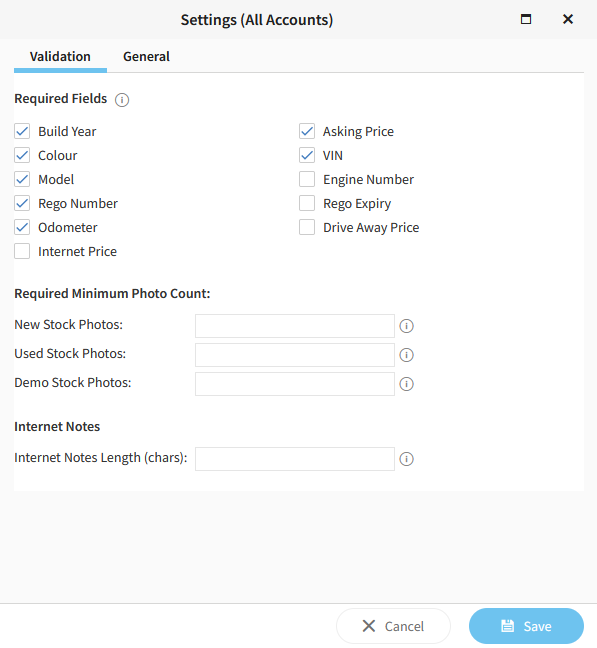
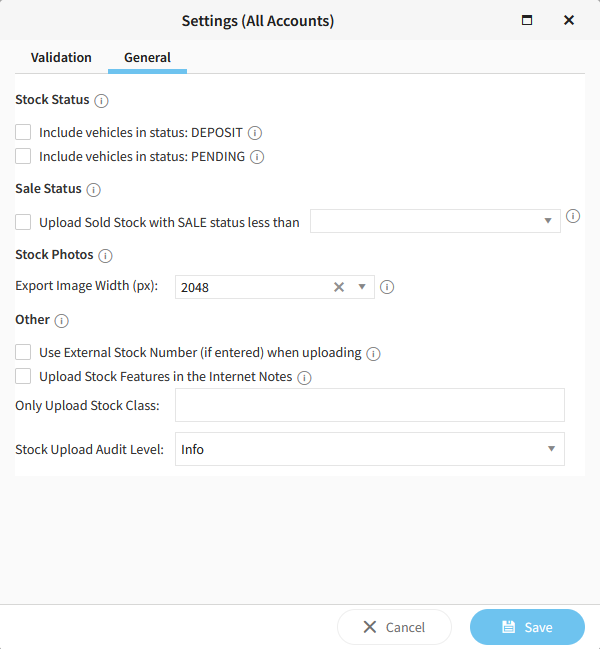
https://s3-ap-southeast-2.amazonaws.com/aus-cdn.freshdesk.com/data/helpdesk/attachments/production/51258004144/original/NlTJVqxPQZ3QlQOkrERuJfOsW8lBXG6iUg.png?1761095032


https://s3-ap-southeast-2.amazonaws.com/aus-cdn.freshdesk.com/data/helpdesk/attachments/production/51258004206/original/p5Us_nL3v7eB0ze8oF402VLwCrJFkoXV-g.png?1761095041


https://s3-ap-southeast-2.amazonaws.com/aus-cdn.freshdesk.com/data/helpdesk/attachments/production/51258004246/original/3MfUOLXmy66XrcYcjLg_Iaj86oOrEVTHIA.png?1761095048


Related Articles


Navigating the stock detail screen in Aura


How to add a new stock unit in Aura